
News

Miro: A New Standard in Responsible Innovation

Miro: A New Standard in Responsible Innovation The Miro monitor arm is setting new benchmarks in sustainability. It offers a high-performance solution without compromising on environmental responsibility. Designed with careful material selection, local sourcing, and longevity in mind, Miro’s responsible approach to design and unique manoeuvrability set it apart from the competition. Sustainable Choices Miro is crafted from energy-efficient materials with a lower carbon impact....

Read more
HSE Advisor

Role Purpose Support in the development, implementation and maintenance of the company’s Health, Safety & Environmental policies, processes, operational procedures, and standards.  Ensuring best practice and championing a continually improving HSE culture within the business. Key Responsibilities Liaise with and provide support to all areas of the business to eliminate, mitigate or reduce identified HSE exposures. Partner with the production management team and team leaders,...

Read more
CMD Ltd LAUNCHES 48-HOUR TURNAROUND ON BETATRAK® RAPID ORDERING SERVICE

CMD Ltd, the specialist in power distribution systems, workstation power and monitor arms, has launched a rapid ordering service for its Betatrak® underfloor powertrack distribution systems and accessories, with a commitment to delivering within 48-hours of an approved purchase order*. The service enables customers to order up to 50 lengths of Standard or Clean Earth (C/E) low noise Betatrak, along with up to 25 feed...

Read more

CMD INVESTS £1/4 MILLION IN NEW MACHINE AS PART OF FACTORY UPGRADE

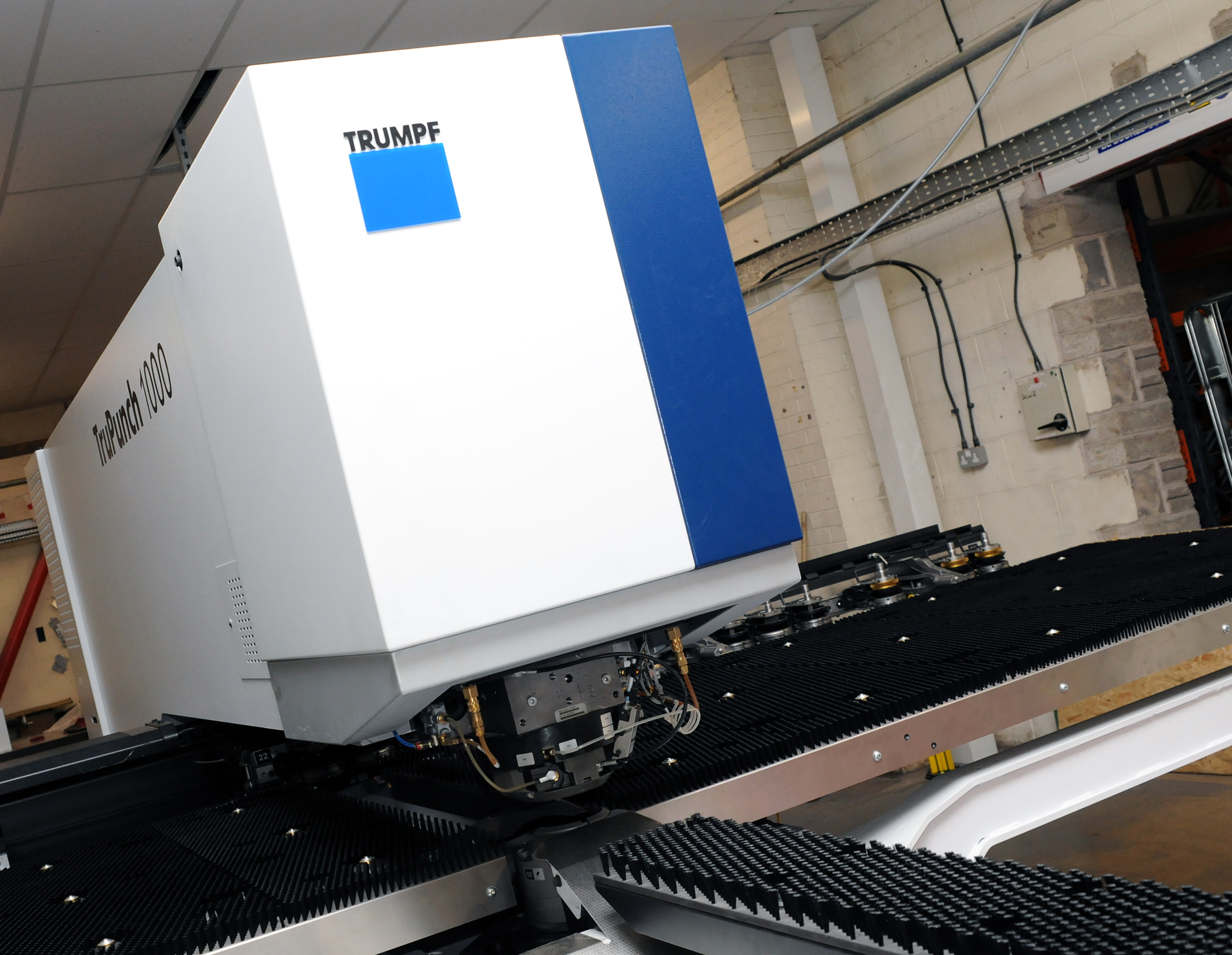
We have invested in a new £1/4m TRUMPF CNC metal punch as part of an asset renewal strategy for our UK manufacturing capability. The new machine will be used in the production of a wide variety of our power distribution systems and workstation power products at our Rotherham factory. Suitable for handling sheet metal between 0.9mm and 3.0mm thick, the new machine will replace one...

Read more
CMD CATALOGUE PROVIDES TECHNICAL POWER DISTRIBUTION GUIDE

CMD Ltd has released a new catalogue, providing an easy to follow technical guide to our power distribution systems and plug and play desk modules. Detailing CMD’s full range of UK-manufactured power distribution systems and plug and play desk modules, the catalogue will be a helpful source of information to M&E engineers and contractors alike to understand how our power distribution systems connect together and...

Read more
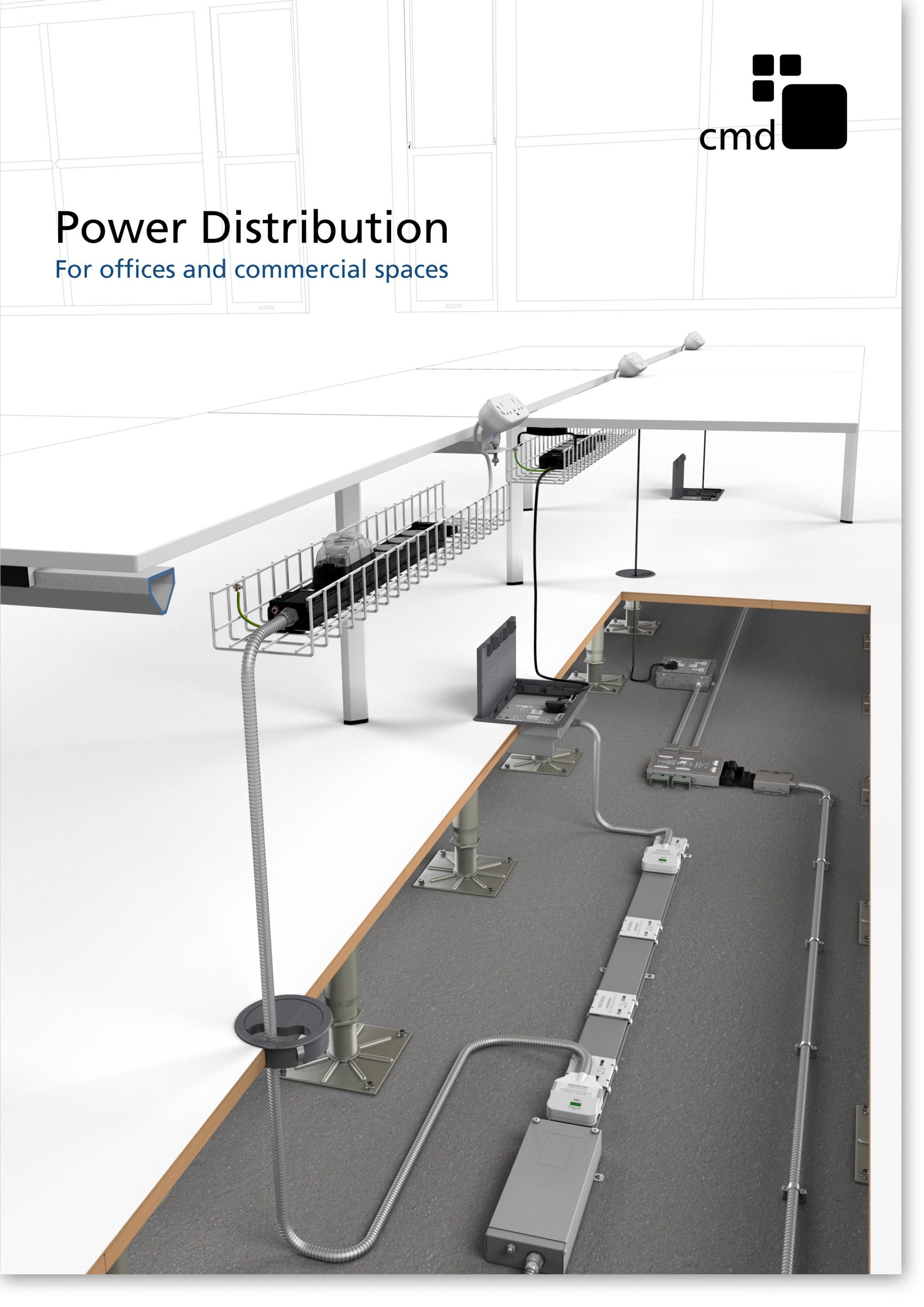
Power Distribution Catalogue
CMD Ltd PLAYS ESSENTIAL ROLE IN ELECTRICAL FIT OUT AT LONDON’S PRESTIGIOUS OFFICE DEVELOPMENT

CMD Ltd, specialist in workplace connectivity and ergonomic solutions, has provided a flexible and high-quality power distribution network for The Ray, a prestigious office development in London’s Farringdon. Well-known for being the former site of The Guardian newspaper, The Ray now stands as an 83,000ft² office development characterised by a modernised warehouse aesthetic, with level two now occupied by a global social media company. The...

Read more

The Ray
CMD plugs in to european opportunity with Schuko Capsule unit launch

CMD Ltd, the specialist in power and connectivity solutions for commercial environments, has launched a Schuko version of its popular fixed format Capsule workstation power module for export to mainland Europe and beyond. A popular on desk power module comprising two sockets and dual USB (type A and C) chargers, CMD’s Capsule unit is already widely specified in the UK as an off-the-shelf workstation power...

Read more
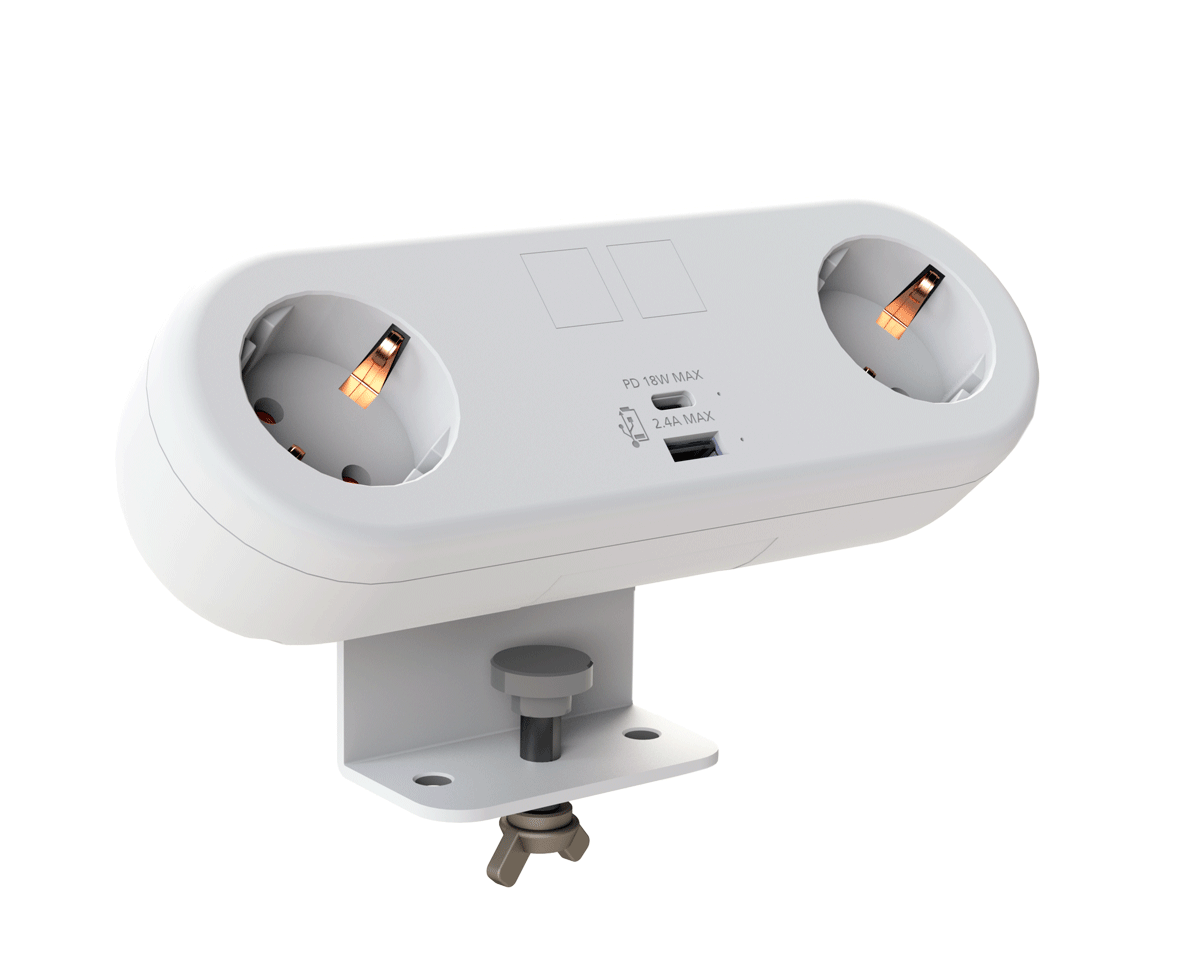
CMD White Schuko Capsule Desk Power Module
CMD LTD EXTENDS MONITOR ARM RANGE WITH THE LAUNCH OF REACH PLUS

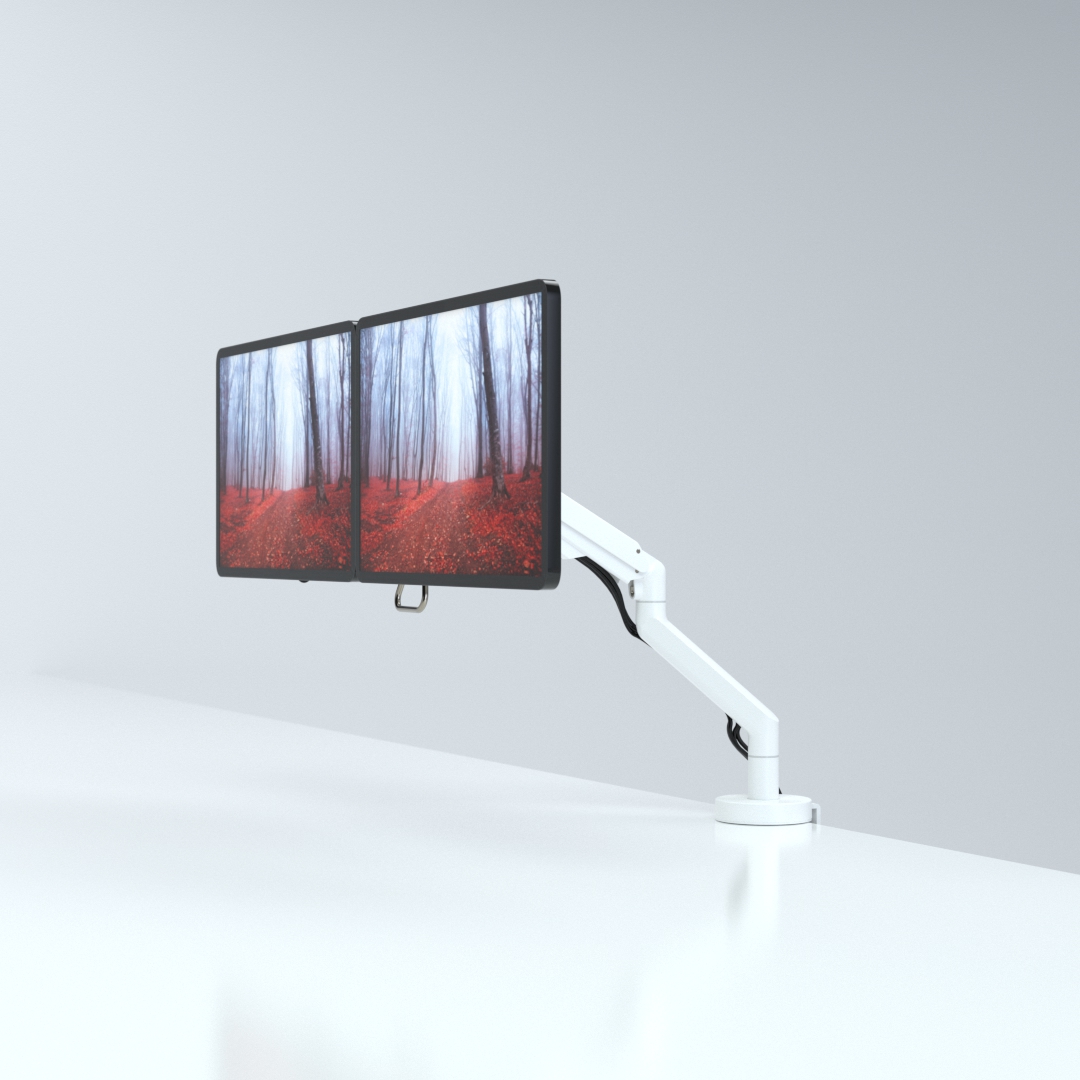
CMD Ltd, the specialist in ergonomic and connectivity solutions for commercial interiors, has completed its Reach monitor arm range with the launch of the Reach Plus. Available in single or dual screen options, the Reach Plus has been designed to provide an ideal solution for both single and dual screen workstation configurations, or can be used with next generation of large format curved screens. Suitable...

Read more
CMD Ltd DEMONSTRATES THE ART OF POWER DISTRIBUTION AT THE UNIVERSITY OF WARWICK

CMD Ltd, the specialist in workplace connectivity and ergonomic solutions, has provided Betatrak busbar power distribution and a range of electrical accessories for two major capital investment projects at the University of Warwick. Designed by Fielden Clegg Bradley Studios, the £33 million Faculty of Arts building is a showpiece development comprising four interconnected structures set around a central atrium, which will enable inter-disciplinary collaboration across...

Read more

University of Warwick
CMD BRINGS HARMONY TO COVENTRY UNIVERSITY RESEARCH FACILITIES

CMD Ltd, the specialist in power distribution solutions and workstation power and ergonomics, has provided under desk and on desk power modules for the refurbishment of three Coventry University research buildings. Located on Coventry University Technology Park, a business park designed to encourage collaboration between the university and knowledge-based businesses, the three buildings are being repurposed as office accommodation for university research teams. The refurbishment...

Read more

Coventry University

2026 How to Source On Desk Power Solutions?

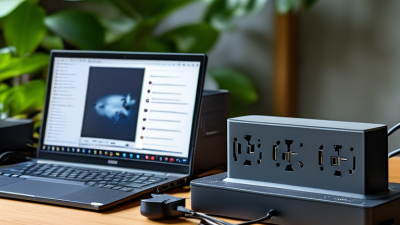
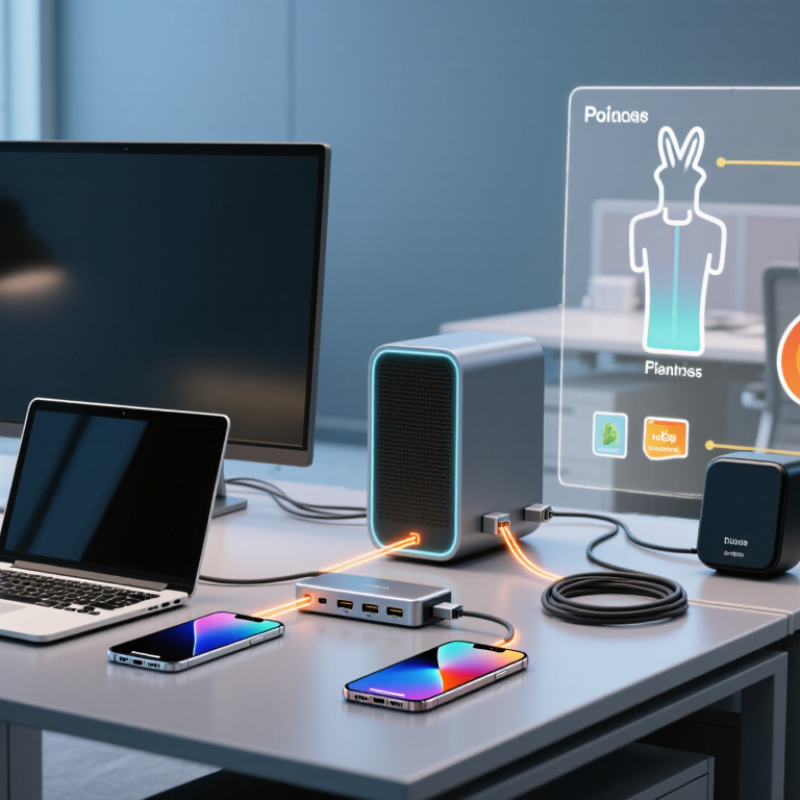
Sourcing on desk power in 2026 requires more than comparing prices and connector counts. Buyers need a clear view of how power moves across a real workspace. A compact USB-C hub may charge a laptop, monitor, phone, and desk lamp. It may also overheat when several devices operate together. That difference matters.

John Drengenberg, a longtime consumer safety specialist at UL, offers a useful principle: “Safety is not an option.” His message fits on desk power purchasing closely. Suppliers should provide credible test reports, traceable components, thermal protection, overload protection, and documented quality controls. Certifications must match the actual product model. A logo alone proves very little.

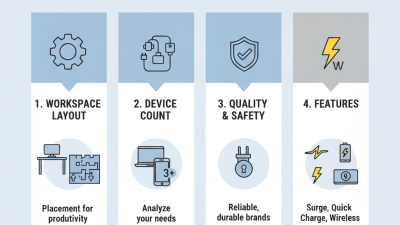
The strongest sourcing process begins with the desk, not the catalog. Measure the required wattage. List every device. Check cable length, mounting space, plug compatibility, and charging protocols. Request samples before approving volume production. Test them beside a laptop, display, speaker, and wireless charger. Feel the housing after several hours. Listen for coil noise. Small details reveal weak engineering.

Price still matters. It should not lead the decision. A cheaper unit can create replacement costs, downtime, and user frustration. Some buyers also overlook firmware behavior and after-sales support. That is an uncomfortable gap. We may assume a polished enclosure means dependable performance. It does not.

This guide explores how to evaluate suppliers, verify specifications, compare safety evidence, and build a practical on desk power sourcing strategy for 2026. The process will not be perfect. Better questions, however, usually produce better products.

2026 How to Source On Desk Power Solutions?

Define On-Desk Power Solutions and Their 2026 Use Cases

How to Source On Desk Power Solutions in 2026

An on-desk power solution is a compact system that delivers electricity where people work, study, or serve customers. It may combine AC outlets, USB charging, cable routing, overload protection, and a mounting structure. The useful definition is not “more sockets.” It is controlled, accessible power with minimal desk clutter. That distinction matters. In 2026, buyers should assess output capacity, heat management, material durability, repair options, and compliance with recognized electrical safety requirements. Request test samples before placing a large order. Product photographs can hide weak hinges, short cables, or inconvenient outlet spacing.

Use cases are becoming more varied. Hybrid offices need power for laptops, monitors, lamps, and conferencing devices at shared desks. Hotels can add charging access beside beds, worktables, and meeting tables without major rewiring. Schools may use protected desk units in libraries and training rooms. Retail counters need compact charging for scanners, payment equipment, and displays. Healthcare administration areas require tidy cable control and reliable daily operation. Event teams may also prefer modular units that can be installed and removed without damaging furniture.

Sourcing decisions should match the actual workload. A desk used for one laptop needs less capacity than a collaboration table serving several users. Ask about replacement parts, installation steps, warranty handling, and delivery consistency. A common mistake is choosing appearance before thermal performance. I have also found that “universal” designs are not always convenient. Some fit poorly on thick desks. Others leave cables exposed. Small pilot orders reveal these problems earlier. Keep testing. The cheapest option may become expensive after repeated failures.

Identify Power Needs Across Devices, Users, and Work Environments

How to Source On Desk Power Solutions in 2026

Identify Power Needs Across Devices, Users, and Work Environments

In practical desk audits, the device list is only the starting point. A laptop may need 45–100 watts, while a monitor often needs 20–90 watts. Docks, lamps, phones, and conferencing units add smaller but continuous loads. Record each device’s input rating, connector, charging speed, and replacement cycle. Do not size from averages alone. Peak demand matters.

User behavior changes the calculation. A fixed workstation supports predictable loads, but hot desks create uneven demand. Meeting rooms need simultaneous charging for visitors, tablets, and presentation equipment. Hybrid workers may bring incompatible cables or older adapters. Accessibility also matters: sockets should remain reachable without bending or crossing walkways. In procurement tests, check heat, cable strain, idle consumption, and recovery after overload. A solution that looks tidy can still frustrate users.

Environment sets the final boundary. Home offices need compact, quiet equipment; open offices need shared capacity and tamper-resistant installation; workshops require dust protection and clearer isolation. The International Energy Agency’s Electricity 2024 report expects data-centre electricity use to reach about 1,000 TWh by 2026, highlighting pressure on electrical infrastructure. The Global E-waste Monitor 2024 recorded 62 million tonnes of e-waste in 2022, with only 22.3% formally collected and recycled. Choose replaceable cables and documented safety certifications where possible. I would still challenge one assumption: more ports do not always mean better power. Measure real usage for two weeks before committing.

2026 How to Source On Desk Power Solutions? - Identify Power Needs Across Devices, Users, and Work Environments

Practical sourcing framework for selecting safe, compatible, and scalable desk power equipment.

User / Environment Typical Devices Estimated Simultaneous Load Recommended Power Architecture Key Sourcing Specifications Workplace Considerations
Individual home-office user Laptop, smartphone, wireless earbuds, desk lamp, webcam 45–100 W for the laptop plus 5–20 W for accessories One compact USB-C power unit with integrated AC outlets and USB ports At least one USB-C Power Delivery output; 65 W is suitable for many productivity laptops, while 100 W provides greater headroom; surge protection; overload and over-temperature protection Small footprint, cable management, low audible noise, accessible power switch, and clear charging indicators
Hot-desking workstation Shared laptop, monitor, keyboard, mouse, phone, headset 120–250 W depending on monitor size and laptop requirements Desk-mounted power module with AC sockets, USB-C PD, and USB-A charging USB-C output of 65–100 W; total rated output should exceed the planned concurrent load; replaceable or serviceable power cable; child-protection shutters where required Fast installation, tamper resistance, compatibility with different desk thicknesses, and easy cleaning between users
Knowledge-worker workstation with dual displays Laptop or desktop computer, two monitors, dock, speakers, phone, desk lamp 180–350 W during normal operation AC distribution module combined with a USB-C PD charging port and cable-management tray Verify monitor and docking-station input requirements; reserve sufficient AC outlets; use a grounded connection and documented maximum load; avoid relying on USB ports for monitor power unless explicitly supported Separate high-load and low-load devices where practical; allow airflow around adapters and avoid loose cables across walkways
Developer, engineering, or content-creation desk High-performance laptop or desktop, large monitor, external storage, audio equipment, camera, networking equipment 300–700 W or more, depending on the computer and peripherals Dedicated grounded AC power distribution with separate charging ports and, where necessary, a dedicated circuit Confirm continuous and peak power ratings; check plug and socket compatibility; provide overload protection; assess inrush current from monitors, storage systems, or powered speakers Thermal management, robust cable routing, equipment spacing, electrical inspection, and protection against accidental disconnection
Meeting and collaboration table Several laptops, smartphones, tablets, display equipment, conference camera, speakerphone 250–600 W depending on the number of users and room equipment Pop-up or flush-mounted table power unit with multiple AC outlets and shared USB-C charging Calculate peak simultaneous charging demand; use clearly labeled outlets; include cable retention, overcurrent protection, and an appropriate power cord length Low-profile design, spill-resistant construction, easy access from both sides of the table, and minimal obstruction to meeting activities
Training room or classroom Multiple laptops or tablets, projector or display, presentation computer, wireless equipment 500–1,500 W depending on room capacity and audiovisual equipment Distributed floor, wall, or table power with dedicated circuits for audiovisual equipment when required Determine outlet count from seating capacity; confirm circuit capacity with a qualified electrician; provide grounding, overcurrent protection, and suitable cable covers for floor runs Trip prevention, movable furniture compatibility, durable housings, easy maintenance, and clear separation between power and data cables
Reception, hoteling, or visitor area Visitor laptops, phones, tablets, digital signage, desk lighting 60–250 W for user charging, excluding large displays Public-access charging module with AC outlets and USB-C ports designed for supervised shared use Use tamper-resistant construction, protected cable exits, clear output labeling, current limiting, and safety documentation for the installation region High durability, easy sanitation, theft-resistant cable options, discreet mounting, and intuitive user access
Industrial, laboratory, or workshop desk Computer, measurement instruments, chargers, task lighting, networking devices, specialized equipment 200–1,000 W, with possible high short-duration startup loads Heavy-duty grounded power distribution with separately protected outlets and optional uninterruptible power supply Check environmental rating, grounding requirements, maximum continuous load, surge performance, emergency shutoff needs, and compatibility with sensitive instruments Resistance to dust, chemicals, vibration, and accidental impact; maintain safe clearance from liquids and heat-generating equipment
Flexible or mobile work area Laptop, phone, tablet, portable monitor, mobile networking equipment 30–150 W Compact USB-C PD charger or portable power station with clearly defined output limits Select output based on the highest device requirement; verify simultaneous-output behavior, battery capacity where applicable, recharge time, and thermal protection Lightweight construction, secure placement, safe battery handling, and storage procedures for unused equipment

Sourcing Data Points to Confirm Before Purchase

  • List every device, its rated input power, and whether it may operate or charge simultaneously.
  • Size the solution for continuous demand and review possible startup or peak loads.
  • Confirm local plug, voltage, frequency, grounding, installation, and product-certification requirements.
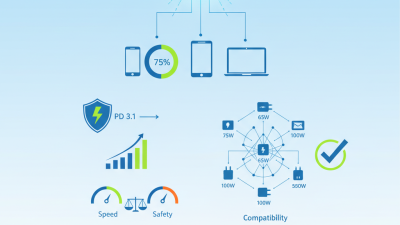
  • Check USB-C Power Delivery output by port and in combined-use conditions rather than relying only on the total advertised wattage.
  • Require documented protection against overcurrent, overvoltage, short circuit, and overheating.
  • Evaluate mounting, cable routing, serviceability, cleaning, accessibility, and replacement-part availability.
  • Have permanent electrical installations assessed or completed by a qualified professional.

Load figures are planning ranges for common workplace configurations. Final selection should be based on the nameplate ratings of the actual devices, the installation conditions, and applicable electrical requirements.

Compare Product Types, Specifications, Safety Standards, and Compatibility

How to Source On Desk Power Solutions?

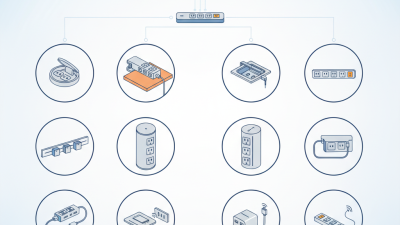
When sourcing desk power solutions, compare the product type before comparing price. Desktop power stations suit permanent work areas with mixed devices. Under-desk modules reduce cable clutter and protect floor space. Charging hubs serve phones, tablets, and smaller accessories. Power strips remain practical, but their outlets may lack modern charging protocols.

Check rated wattage, USB-C power delivery, outlet count, cable length, and standby consumption. A laptop and monitor may require more continuous power than expected. Leave a safety margin of at least 20 percent. I once underestimated shared-desk demand. The unit worked, but charging slowed during busy periods. That detail changed my sourcing checklist.

Safety deserves documented evidence. Look for overload protection, surge control, thermal cutoff, grounding, and fire-resistant housing. Applicable requirements may include IEC 62368-1, electromagnetic compatibility rules, and local plug standards. Do not rely on printed symbols alone. Request current test reports and traceable factory records. Compatibility also includes voltage, plug format, mounting depth, and cable routing. A compact unit can still fail when its mounting bracket blocks ventilation. Measure twice. Then verify every connector, including older equipment that may need adapters.

Evaluate Suppliers, Manufacturing Quality, Customization, and Sustainability

2026 How to Source On Desk Power Solutions?

In 2026, sourcing an on desk power solution requires more than comparing prices. A reliable supplier should provide test reports, traceable materials, and clear production records. Ask where key components are made and how defects are controlled. Request samples from regular production, not a specially prepared unit. Small details matter. Check socket alignment, cable strain relief, heat during continuous use, and surface stability. Independent laboratory testing can strengthen confidence, but no audit is perfect.

Customization should solve a real desk problem. Useful options may include cable length, port placement, mounting methods, enclosure materials, and power indicators. Discuss engineering limits before approving drawings. A low-cost change can affect heat management or durability.

Manufacturing quality depends on more than the final inspection. Review incoming material checks, assembly instructions, burn-in procedures, and failure records. One overlooked cable-fit issue can delay an entire shipment. That possibility deserves honest attention.

Tips: Compare at least three suppliers using the same sample criteria. Ask for lifecycle data, repair guidance, packaging details, and recycling instructions. Prefer suppliers that measure energy efficiency and reduce unnecessary materials. Do not accept vague claims such as “eco-friendly” without evidence. A smaller package is helpful, but it is not automatically sustainable. Confirm whether replacement parts are available and whether production changes require approval. Document every promise in the purchase specification.

Build a Sourcing Process for Samples, Pricing, Compliance, and Delivery

2026 How to Source On Desk Power Solutions?

A reliable sourcing process starts with a clear sample brief. Define outlet types, USB output, wattage, dimensions, materials, and intended users. Request several samples, not just one. Test charging speed, heat after eight hours, cable reach, port stability, and surface grip. Photograph each result and record failures. A desk unit may look polished but still wobble under daily use.

Pricing needs more than a unit quotation. Ask suppliers to separate product cost, tooling, packaging, freight, taxes, and warranty allowances. Compare minimum order quantities and price breaks at realistic volumes. For compliance, request current test reports, declarations, traceable component details, and applicable safety documentation. Check ratings for the destination market. An accredited laboratory can verify uncertain claims. Never rely on a copied certificate.

Tips: Build a simple comparison sheet with sample score, landed cost, compliance status, lead time, and corrective actions. Ask for a written production schedule, including pilot approval, material purchasing, inspection, and shipment. Confirm carton dimensions before booking freight. Small packaging errors can increase delivery costs. I sometimes overvalue a low price, and that remains a costly mistake. Keep a reserve supplier, but do not approve alternatives without repeating the same tests. Test again. Reliability is earned through records, not promises.