
News

Miro: A New Standard in Responsible Innovation

Miro: A New Standard in Responsible Innovation The Miro monitor arm is setting new benchmarks in sustainability. It offers a high-performance solution without compromising on environmental responsibility. Designed with careful material selection, local sourcing, and longevity in mind, Miro’s responsible approach to design and unique manoeuvrability set it apart from the competition. Sustainable Choices Miro is crafted from energy-efficient materials with a lower carbon impact....

Read more
HSE Advisor

Role Purpose Support in the development, implementation and maintenance of the company’s Health, Safety & Environmental policies, processes, operational procedures, and standards.  Ensuring best practice and championing a continually improving HSE culture within the business. Key Responsibilities Liaise with and provide support to all areas of the business to eliminate, mitigate or reduce identified HSE exposures. Partner with the production management team and team leaders,...

Read more
CMD Ltd LAUNCHES 48-HOUR TURNAROUND ON BETATRAK® RAPID ORDERING SERVICE

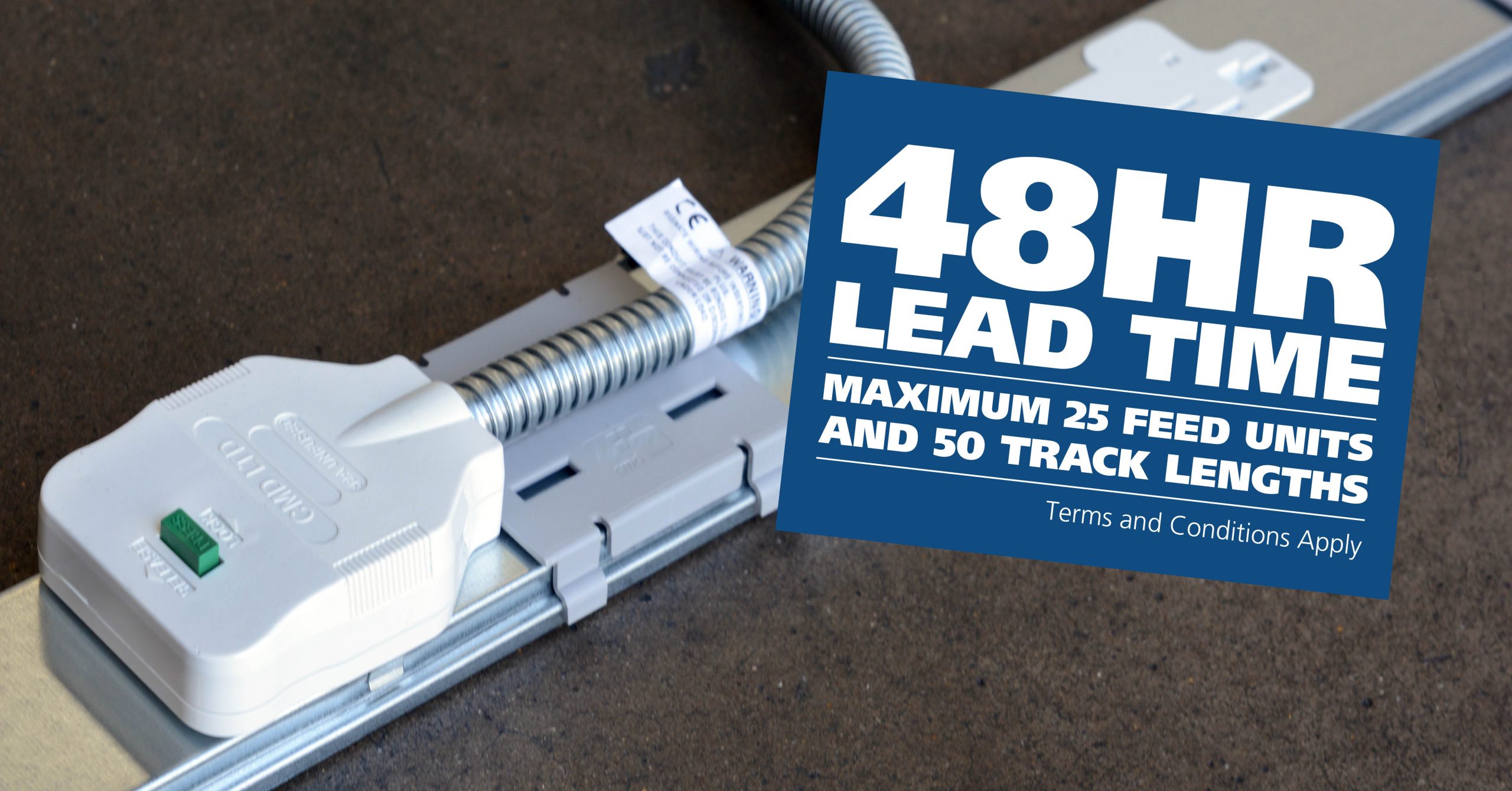
CMD Ltd, the specialist in power distribution systems, workstation power and monitor arms, has launched a rapid ordering service for its Betatrak® underfloor powertrack distribution systems and accessories, with a commitment to delivering within 48-hours of an approved purchase order*. The service enables customers to order up to 50 lengths of Standard or Clean Earth (C/E) low noise Betatrak, along with up to 25 feed...

Read more
CMD INVESTS £1/4 MILLION IN NEW MACHINE AS PART OF FACTORY UPGRADE

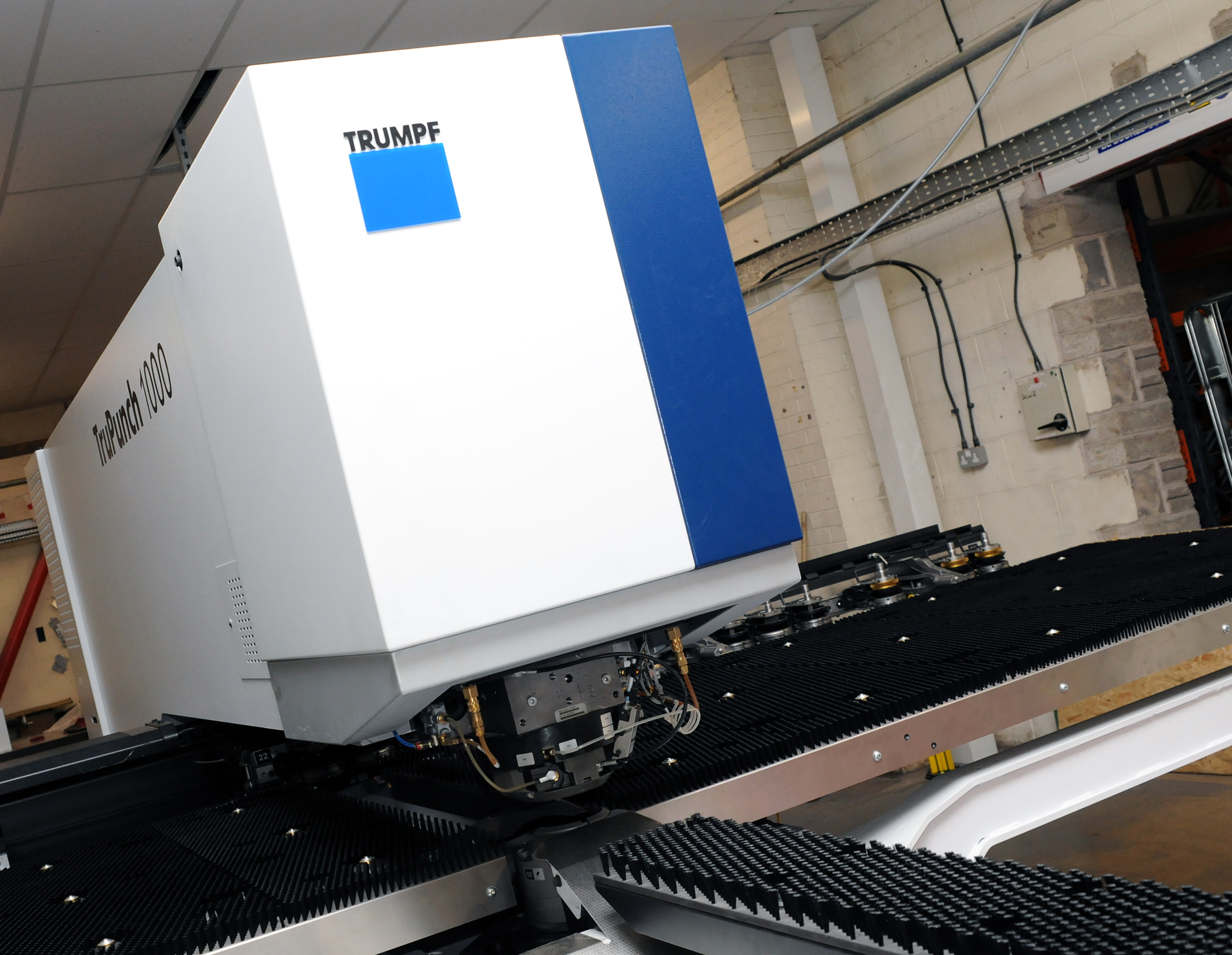
We have invested in a new £1/4m TRUMPF CNC metal punch as part of an asset renewal strategy for our UK manufacturing capability. The new machine will be used in the production of a wide variety of our power distribution systems and workstation power products at our Rotherham factory. Suitable for handling sheet metal between 0.9mm and 3.0mm thick, the new machine will replace one...

Read more
CMD CATALOGUE PROVIDES TECHNICAL POWER DISTRIBUTION GUIDE

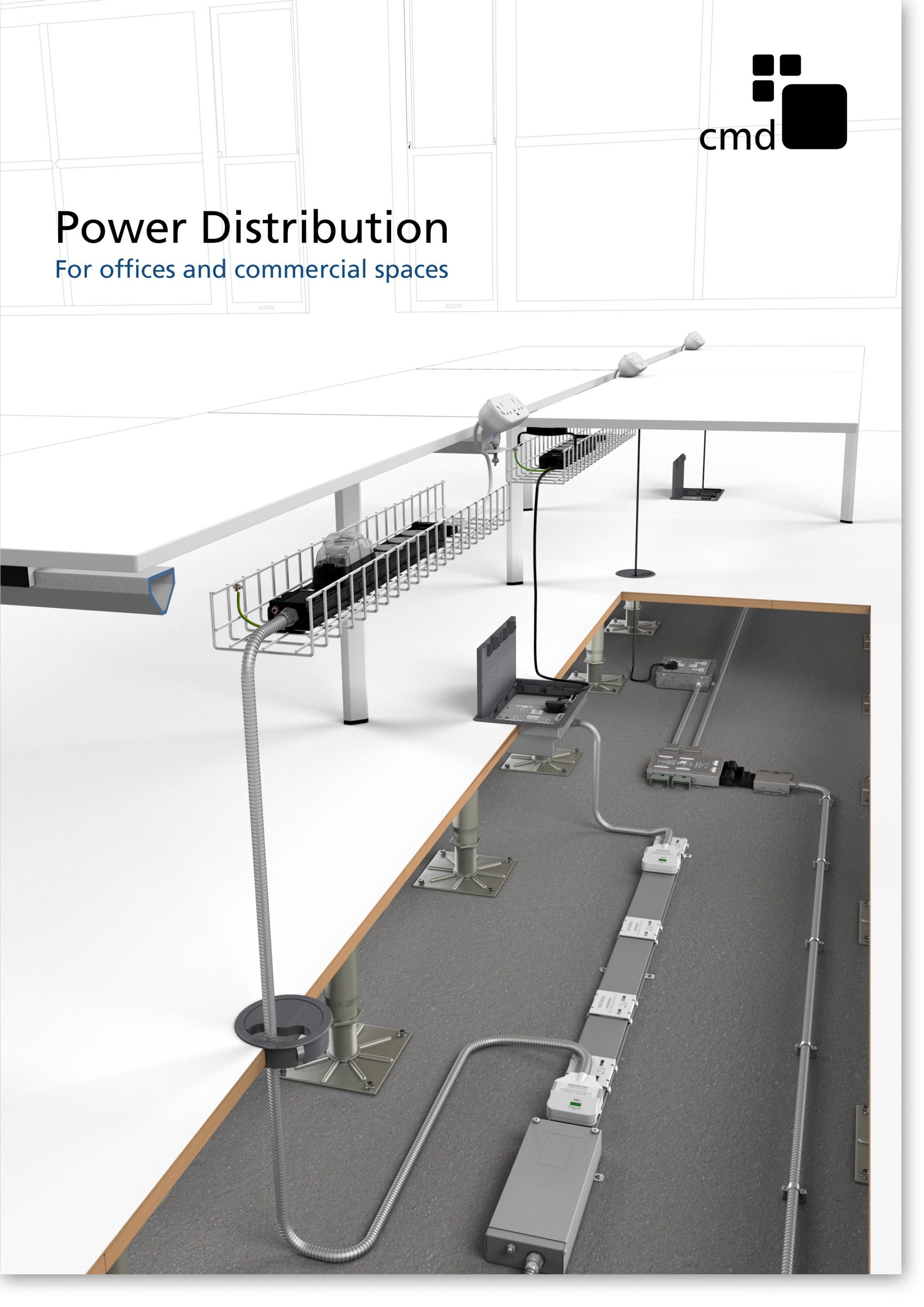
CMD Ltd has released a new catalogue, providing an easy to follow technical guide to our power distribution systems and plug and play desk modules. Detailing CMD’s full range of UK-manufactured power distribution systems and plug and play desk modules, the catalogue will be a helpful source of information to M&E engineers and contractors alike to understand how our power distribution systems connect together and...

Read more
Power Distribution Catalogue
CMD Ltd PLAYS ESSENTIAL ROLE IN ELECTRICAL FIT OUT AT LONDON’S PRESTIGIOUS OFFICE DEVELOPMENT

CMD Ltd, specialist in workplace connectivity and ergonomic solutions, has provided a flexible and high-quality power distribution network for The Ray, a prestigious office development in London’s Farringdon. Well-known for being the former site of The Guardian newspaper, The Ray now stands as an 83,000ft² office development characterised by a modernised warehouse aesthetic, with level two now occupied by a global social media company. The...

Read more

The Ray
CMD plugs in to european opportunity with Schuko Capsule unit launch

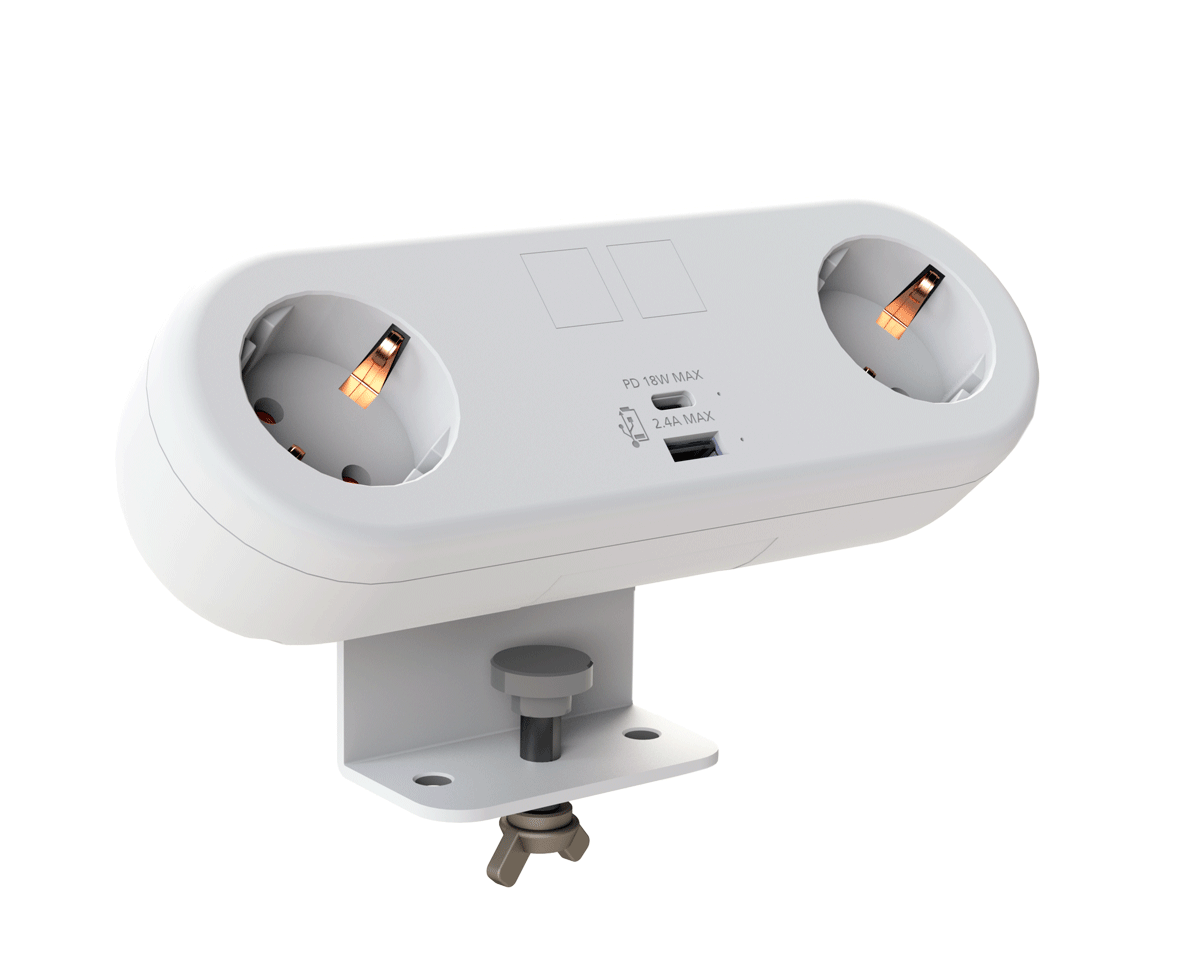
CMD Ltd, the specialist in power and connectivity solutions for commercial environments, has launched a Schuko version of its popular fixed format Capsule workstation power module for export to mainland Europe and beyond. A popular on desk power module comprising two sockets and dual USB (type A and C) chargers, CMD’s Capsule unit is already widely specified in the UK as an off-the-shelf workstation power...

Read more
CMD White Schuko Capsule Desk Power Module
CMD LTD EXTENDS MONITOR ARM RANGE WITH THE LAUNCH OF REACH PLUS

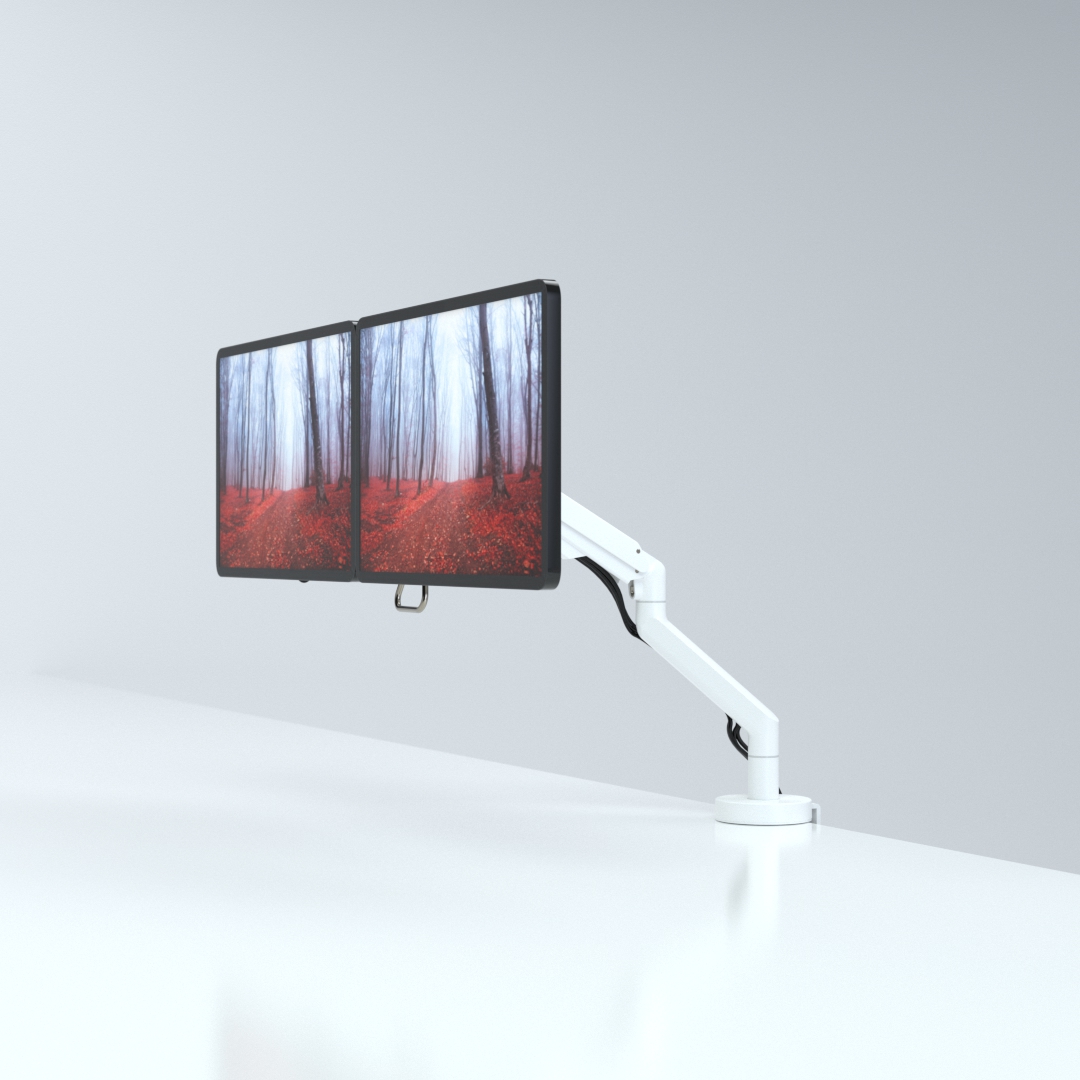
CMD Ltd, the specialist in ergonomic and connectivity solutions for commercial interiors, has completed its Reach monitor arm range with the launch of the Reach Plus. Available in single or dual screen options, the Reach Plus has been designed to provide an ideal solution for both single and dual screen workstation configurations, or can be used with next generation of large format curved screens. Suitable...

Read more
CMD Ltd DEMONSTRATES THE ART OF POWER DISTRIBUTION AT THE UNIVERSITY OF WARWICK

CMD Ltd, the specialist in workplace connectivity and ergonomic solutions, has provided Betatrak busbar power distribution and a range of electrical accessories for two major capital investment projects at the University of Warwick. Designed by Fielden Clegg Bradley Studios, the £33 million Faculty of Arts building is a showpiece development comprising four interconnected structures set around a central atrium, which will enable inter-disciplinary collaboration across...

Read more

University of Warwick
CMD BRINGS HARMONY TO COVENTRY UNIVERSITY RESEARCH FACILITIES

CMD Ltd, the specialist in power distribution solutions and workstation power and ergonomics, has provided under desk and on desk power modules for the refurbishment of three Coventry University research buildings. Located on Coventry University Technology Park, a business park designed to encourage collaboration between the university and knowledge-based businesses, the three buildings are being repurposed as office accommodation for university research teams. The refurbishment...

Read more


Coventry University

How to Choose the Best Desk Power Solutions in 2026?

Choosing the best desk power solutions in 2026 requires more than counting sockets. Modern workstations support laptops, monitors, phones, lighting, and increasingly shared devices. A loose cable can still disrupt a focused afternoon.

The Gensler 2024 Global Workplace Survey shows that employees value workplaces supporting both focused work and collaboration. JLL’s 2024 Global Occupancy Planning Benchmarking Report also highlights changing office utilization patterns. These findings matter because desk power must follow people, not fixed seating charts. Microsoft’s 2024 Work Trend Index reported that 68% of workers struggle with the pace and volume of work. Reliable charging cannot solve that pressure. It can remove one small, irritating barrier.

David Bissett, a workplace connectivity specialist associated with CMD Ltd., offers a useful principle: “Power should be where people need it, when they need it.” The exact product choice depends on desk depth, cable routes, outlet standards, load capacity, and cleaning routines. Check those details before comparing appearances. A clamp-on power module may suit a hot-desk bench. A recessed unit may better protect a boardroom surface. USB-C wattage also deserves careful attention. Not every port charges a laptop effectively.

This guide examines safety, flexibility, installation, energy use, and long-term maintenance. It also questions a common assumption: the most expensive desk power is not automatically the best. Industry reports often measure workplace behavior, not power performance directly. That gap requires practical testing. Measure heat, reach, cable strain, and user behavior. Then choose with evidence.

How to Choose the Best Desk Power Solutions in 2026?

Understanding Desk Power Needs and Workspace Requirements

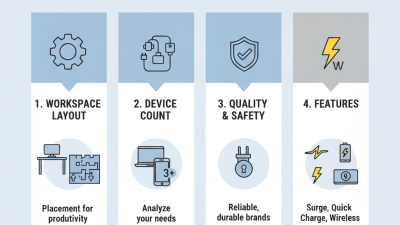
Choosing desk power in 2026 starts with understanding the workspace, not counting sockets. Measure every device, including monitors, lamps, speakers, chargers, and occasional equipment. A two-person desk may need more capacity than a quiet laptop station. The U.S. Energy Information Administration’s Commercial Buildings Energy Consumption Survey reports that office equipment used about 7% of commercial-building electricity in its latest dataset. Small loads still matter.

Look at placement, cable routes, heat, and future changes. A power unit under the desktop may reduce clutter, but it can become difficult to reach. A surface-mounted unit offers convenience, yet it may occupy valuable writing space. Choose sufficient outlets, overload protection, USB-C charging, and clear power ratings. The International Energy Agency’s Electricity 2024 report highlights rising electricity demand from digital equipment and cooling. That makes efficiency part of workspace planning. In practice, desk audits often reveal forgotten adapters and permanently active displays. I still underestimate these hidden loads sometimes.

Tips: Record each device’s wattage for one normal workday. Leave spare capacity for new equipment. Keep power paths visible and accessible. Avoid placing adapters beneath rugs or inside tightly enclosed drawers. Check local electrical requirements before installation. A simple label beside each outlet can prevent confusion. For shared desks, use a short power map showing outlet locations, maximum load, and charging access. It is not elegant, but it works.

How to Choose the Best Desk Power Solutions in 2026? - Understanding Desk Power Needs and Workspace Requirements

Workspace Scenario Typical Equipment Estimated Active Load Recommended Continuous Capacity AC Outlets USB-C Charging Suggested Cable Length Useful Features
Basic laptop workstation Laptop, one monitor, desk lamp, phone charger, small peripherals Approximately 115 W At least 150 W, allowing about 25% headroom 4 to 6 grounded outlets 1 USB-C port, 45–65 W output 1.5–2 m Under-desk mounting, cable management, overload protection
Dual-monitor home office Laptop or mini desktop, two monitors, speakers, router, phone and accessory charging Approximately 215 W At least 280 W, allowing about 25% headroom 6 to 8 grounded outlets 1–2 USB-C ports, 65–100 W total output 2–3 m Individual outlet spacing, USB power delivery, surge protection, accessible switch
Creative or engineering workstation High-performance desktop, two large monitors, speakers, external storage, lighting and accessories Approximately 270 W during typical use At least 350 W; verify the computer’s rated power separately 8 or more grounded outlets 1 USB-C port, 65–100 W output 2–3 m High load rating, thermal protection, spaced outlets, robust mounting hardware
Flexible hot-desk station User laptop, monitor or display, phone, tablet and occasional accessories Approximately 125 W At least 160 W, allowing for changing users 4 to 6 grounded outlets 2 USB-C ports, 65–100 W total output 1.5–2 m Compact form, easy access, replaceable or detachable cable, clear power indicators
Shared meeting or collaboration desk Display, conferencing computer, camera, speakers, network equipment and several laptops Approximately 290 W At least 380 W, with additional allowance for connected laptops 8 or more grounded outlets 2–4 USB-C ports, 100–140 W total output 2–3 m Multiple-user access, overload reset, cable pass-through, surge protection and clear labeling
Selection notes: Estimated loads use typical operating ranges of approximately 45–100 W for laptops, 20–90 W for monitors, 5–20 W for small peripherals, and 10–30 W for charging accessories. Actual consumption varies by model and workload. Choose a solution with sufficient voltage, current and safety certifications for the intended region, and avoid exceeding the rating of the wall outlet or circuit.

Comparing Desk Power Solutions by Type and Function

How to Choose the Best Desk Power Solutions in 2026?

Comparing Desk Power Solutions by Type and Function

A desk power strip suits users who need several outlets at floor level. It handles lamps, speakers, and chargers with little installation effort. Choose models with grounded sockets, overload protection, and a visible power switch. Cable length matters when the nearest wall outlet sits behind a cabinet.

Clamp-on power modules keep sockets near the desktop edge. They work well in shared offices and compact workstations. Under-desk units create a cleaner appearance and protect cables from accidental pulls. However, installation can be less convenient. Measure the desk thickness before buying one. Some clamps fit only narrow surfaces.

USB charging hubs focus on phones, tablets, and small accessories. They reduce adapter clutter but may not support high-power laptops. Check each port’s output instead of trusting the total wattage alone. A powered desktop unit is better for monitors and heavy equipment. Keep its load below the stated limit.

I once chose a compact strip without checking its cord position. It blocked a drawer. Small mistake. Now I examine plug direction, heat clearance, and cable reach before comparing features. A reliable solution should match daily tasks, not just look tidy. For safety, select equipment tested against recognized regional standards, and replace damaged cords promptly. Personally, I still prefer visible switches because hidden controls make simple faults harder to identify.

Evaluating Safety, Capacity, Compatibility, and Energy Efficiency

How to Choose the Best Desk Power Solutions in 2026?

In 2026, desk power choices deserve more than a socket count. Safety begins with overload protection, heat control, and secure grounding. Look for documented safety testing and clear electrical ratings from reliable manufacturers. The housing should feel solid, with no loose switches or exposed contacts. Keep ventilation openings uncovered, especially beside monitors and docking equipment. A warm adapter is common, but excessive heat deserves immediate attention.

Capacity must match real desk use, not an imagined setup. Add the wattage of your computer, display, lamp, speakers, and chargers. Leave extra capacity for startup demand and future devices. Compatibility also matters. Check plug types, charging protocols, cable length, and mounting space before buying. A powerful unit can still disappoint when its ports charge slowly or cannot support a laptop.

Energy efficiency is easy to overlook. Choose independent switches, low standby consumption, and automatic shutdown features when practical. A small power meter can reveal overnight waste that specifications may hide. I once selected a compact solution without checking cable reach, and the layout became awkward. That mistake was avoidable. Not always. Real-world testing should include heat, charging speed, noise, and daily access. Energy savings also depend on habits, so switching off unused equipment remains surprisingly effective.

Selecting Features for Smart, Flexible, and Clutter-Free Desks

In 2026, a desk power setup should support movement, not create another obstacle. My practical test begins with reach: can I charge a laptop, phone, lamp, and monitor without stretching across the workspace? A compact power hub with USB-C delivery, grounded outlets, and overload protection usually performs better than a crowded extension strip. Look for clear wattage labels. More ports is not enough. Smart features matter when they solve a real problem. Energy monitoring can reveal a monitor that stays awake overnight, while scheduled shutoff reduces forgotten standby use. However, app controls are not automatically useful. A weak connection or confusing interface can make a simple switch frustrating.

For a flexible desk, route power through an under-desk tray or discreet cable channel. Leave enough slack for sitting, standing, and rotating a monitor arm. Secure cables with reusable ties, but avoid tight bends near plugs. Wireless charging is convenient for a phone, yet it may generate heat and charge slowly through thick cases. Test it where your hand naturally lands. That small detail affects daily use more than advertised speed.

Safety deserves professional attention. Choose products with recognized electrical testing, protective shutters, and a resettable circuit breaker where appropriate. Keep high-power heaters or cooking appliances away from desk circuits. I once favored a slim hub with many outlets, then found its short cable forced awkward placement. That was a design failure, not a minor annoyance. Measure the desk, check total load, and leave one outlet accessible. A cleaner setup should remain easy to inspect, unplug, and change.

Matching the Right Power Solution to Your Budget and Setup

How to Choose the Best Desk Power Solutions in 2026?

Matching the right power solution to your budget starts with your actual desk setup. Count your laptop, monitor, speakers, chargers, and future devices. A compact power strip may suit a simple workstation. A surge-protected desktop unit fits better when several sockets stay occupied. For flexible rooms, choose a solution with spaced outlets, USB-C charging, and a reachable switch. Avoid paying for capacity you will rarely use. I still overbuy ports sometimes.

Energy efficiency matters too. ENERGY STAR reports that certified office equipment can use significantly less energy than standard alternatives, especially through sleep and power-management settings. The International Energy Agency estimates that global electricity demand will keep rising through 2026. Small savings at one desk will not solve that trend, but they reduce waste across offices. Choose efficient devices, then activate automatic sleep settings. Check the real wattage, not just the advertised socket count.

Tips: Set a budget before shopping. Reserve about 20% spare capacity for future devices. Look for overload protection and clear safety ratings. The Global E-waste Monitor 2024 reports 62 million tonnes of electronic waste in 2022, with the figure expected to reach 82 million tonnes by 2030. A durable, repairable power solution may cost more initially, but replacement waste costs something too. That point deserves more attention.