

News

Miro: A New Standard in Responsible Innovation

Miro: A New Standard in Responsible Innovation The Miro monitor arm is setting new benchmarks in sustainability. It offers a high-performance solution without compromising on environmental responsibility. Designed with careful material selection, local sourcing, and longevity in mind, Miro’s responsible approach to design and unique manoeuvrability set it apart from the competition. Sustainable Choices Miro is crafted from energy-efficient materials with a lower carbon impact....

Read more
HSE Advisor

Role Purpose Support in the development, implementation and maintenance of the company’s Health, Safety & Environmental policies, processes, operational procedures, and standards.  Ensuring best practice and championing a continually improving HSE culture within the business. Key Responsibilities Liaise with and provide support to all areas of the business to eliminate, mitigate or reduce identified HSE exposures. Partner with the production management team and team leaders,...

Read more
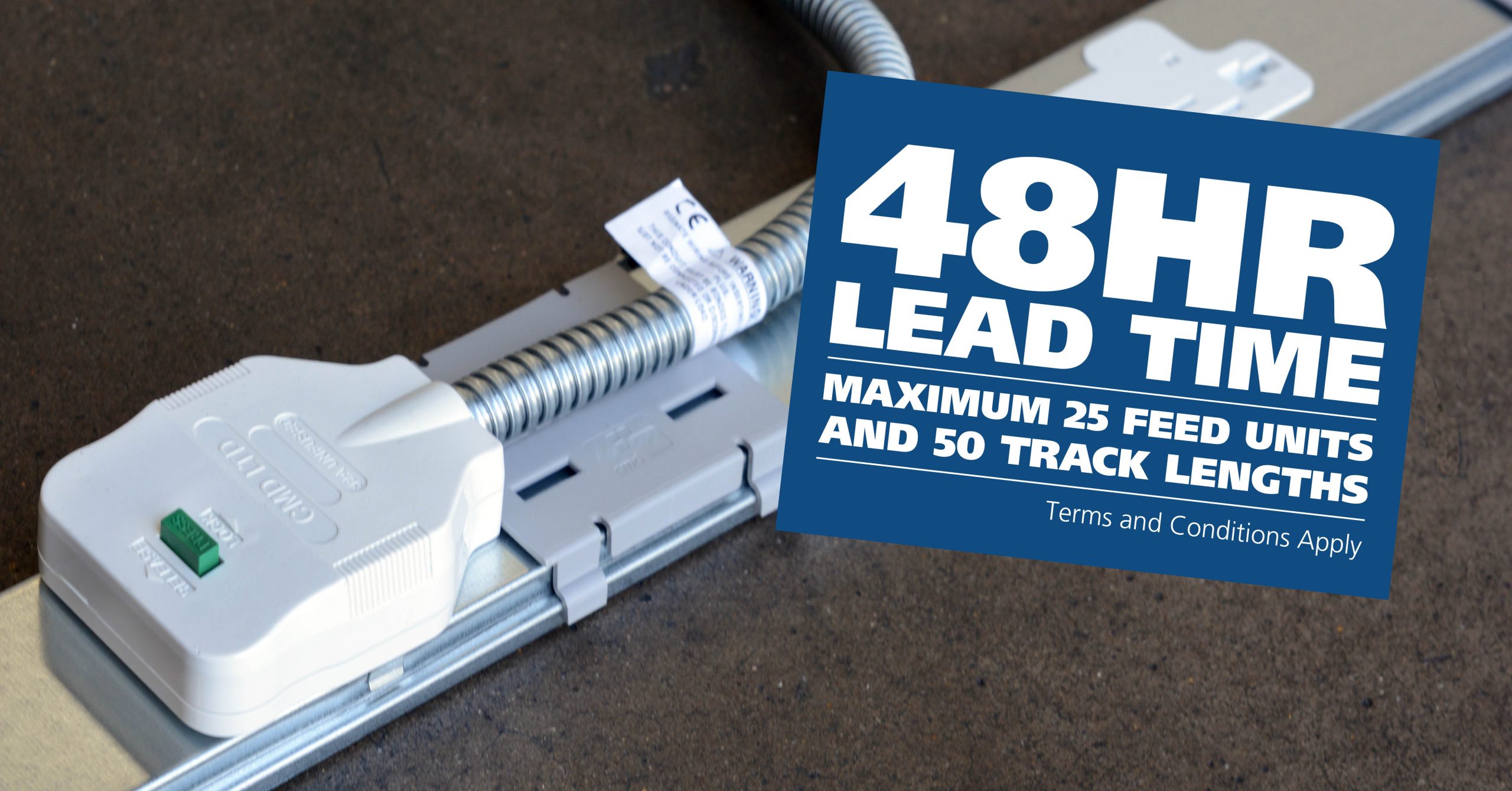
CMD Ltd LAUNCHES 48-HOUR TURNAROUND ON BETATRAK® RAPID ORDERING SERVICE

CMD Ltd, the specialist in power distribution systems, workstation power and monitor arms, has launched a rapid ordering service for its Betatrak® underfloor powertrack distribution systems and accessories, with a commitment to delivering within 48-hours of an approved purchase order*. The service enables customers to order up to 50 lengths of Standard or Clean Earth (C/E) low noise Betatrak, along with up to 25 feed...

Read more
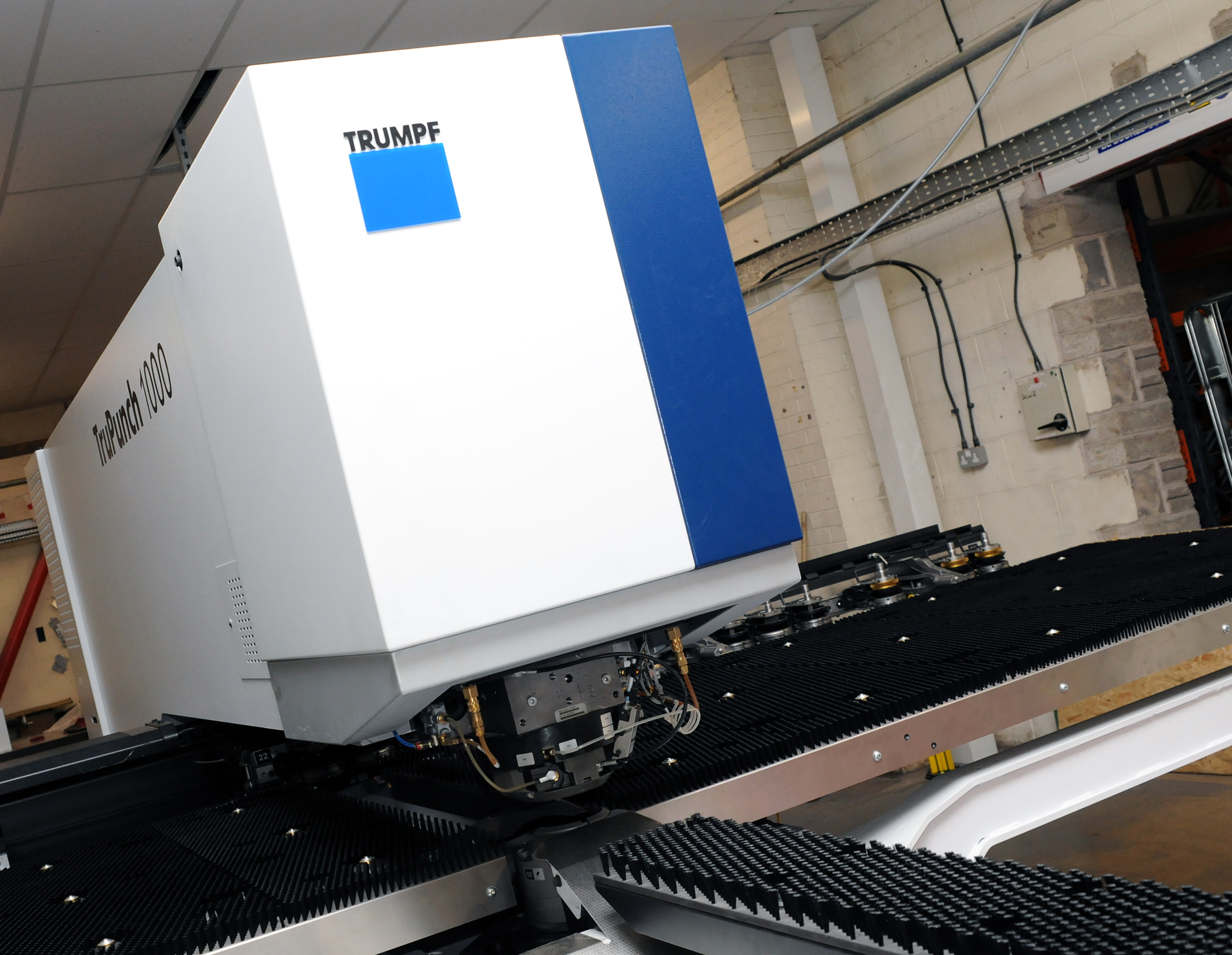
CMD INVESTS £1/4 MILLION IN NEW MACHINE AS PART OF FACTORY UPGRADE

We have invested in a new £1/4m TRUMPF CNC metal punch as part of an asset renewal strategy for our UK manufacturing capability. The new machine will be used in the production of a wide variety of our power distribution systems and workstation power products at our Rotherham factory. Suitable for handling sheet metal between 0.9mm and 3.0mm thick, the new machine will replace one...

Read more
CMD CATALOGUE PROVIDES TECHNICAL POWER DISTRIBUTION GUIDE

CMD Ltd has released a new catalogue, providing an easy to follow technical guide to our power distribution systems and plug and play desk modules. Detailing CMD’s full range of UK-manufactured power distribution systems and plug and play desk modules, the catalogue will be a helpful source of information to M&E engineers and contractors alike to understand how our power distribution systems connect together and...

Read more
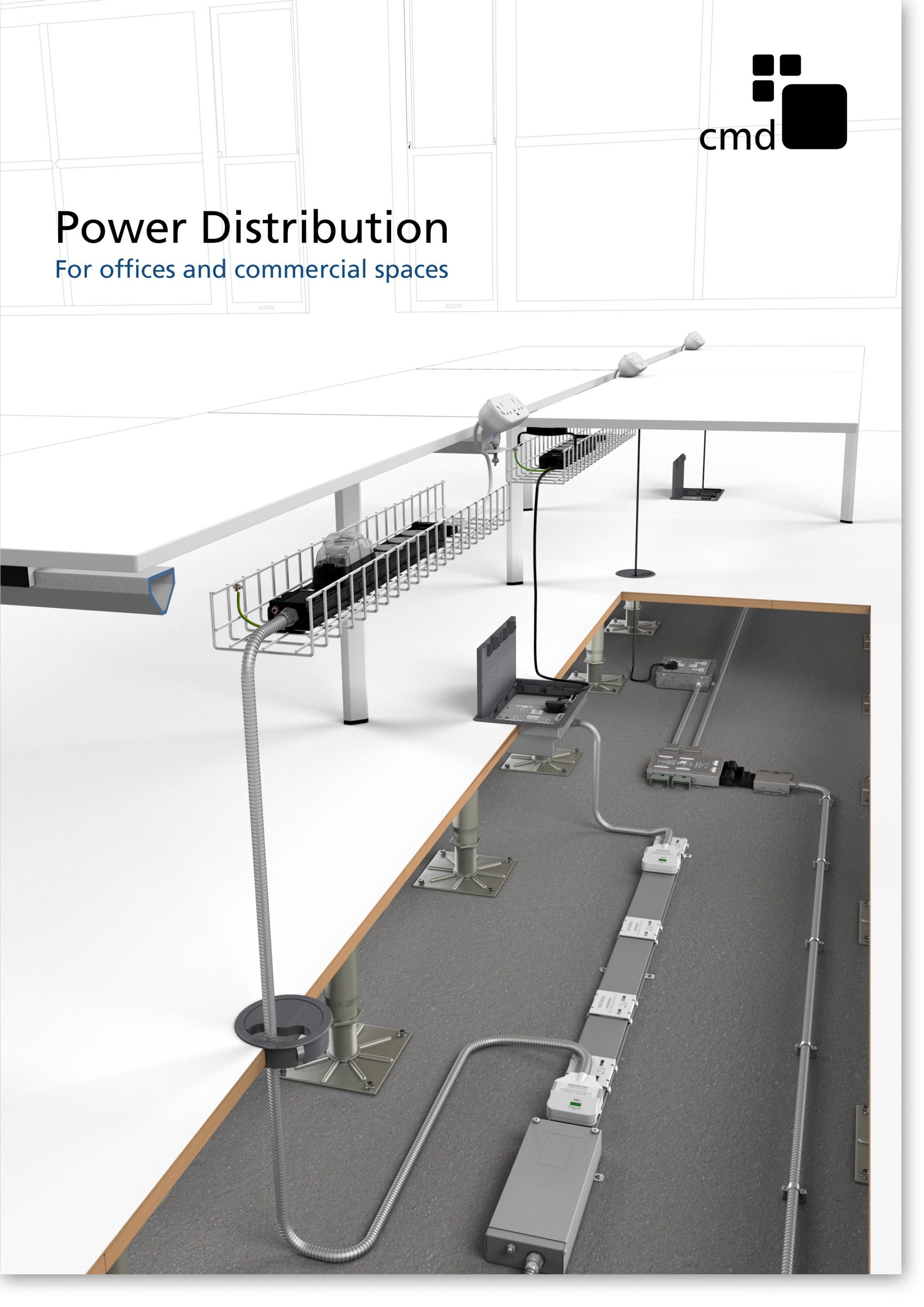
Power Distribution Catalogue
CMD Ltd PLAYS ESSENTIAL ROLE IN ELECTRICAL FIT OUT AT LONDON’S PRESTIGIOUS OFFICE DEVELOPMENT

CMD Ltd, specialist in workplace connectivity and ergonomic solutions, has provided a flexible and high-quality power distribution network for The Ray, a prestigious office development in London’s Farringdon. Well-known for being the former site of The Guardian newspaper, The Ray now stands as an 83,000ft² office development characterised by a modernised warehouse aesthetic, with level two now occupied by a global social media company. The...

Read more

The Ray
CMD plugs in to european opportunity with Schuko Capsule unit launch

CMD Ltd, the specialist in power and connectivity solutions for commercial environments, has launched a Schuko version of its popular fixed format Capsule workstation power module for export to mainland Europe and beyond. A popular on desk power module comprising two sockets and dual USB (type A and C) chargers, CMD’s Capsule unit is already widely specified in the UK as an off-the-shelf workstation power...

Read more
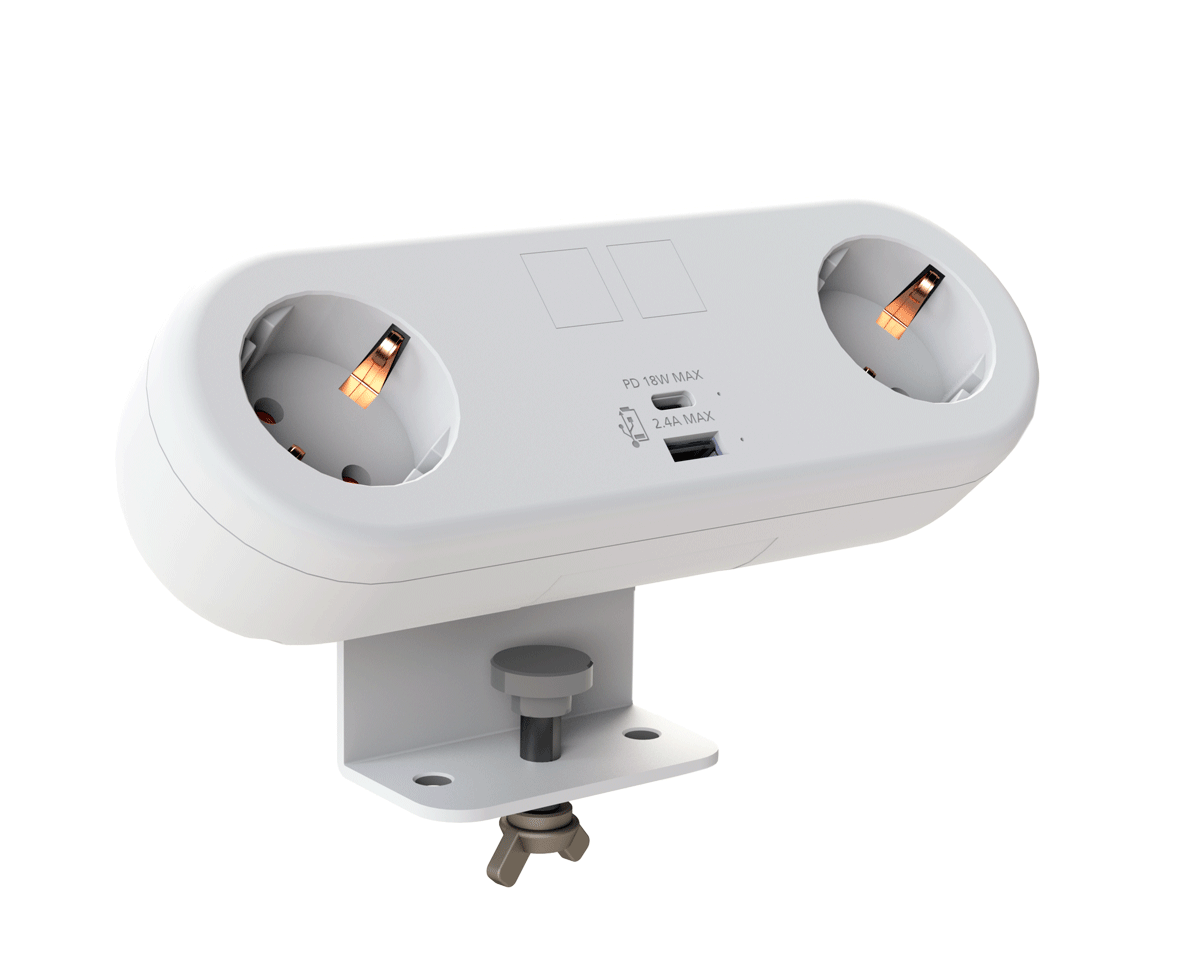
CMD White Schuko Capsule Desk Power Module
CMD LTD EXTENDS MONITOR ARM RANGE WITH THE LAUNCH OF REACH PLUS

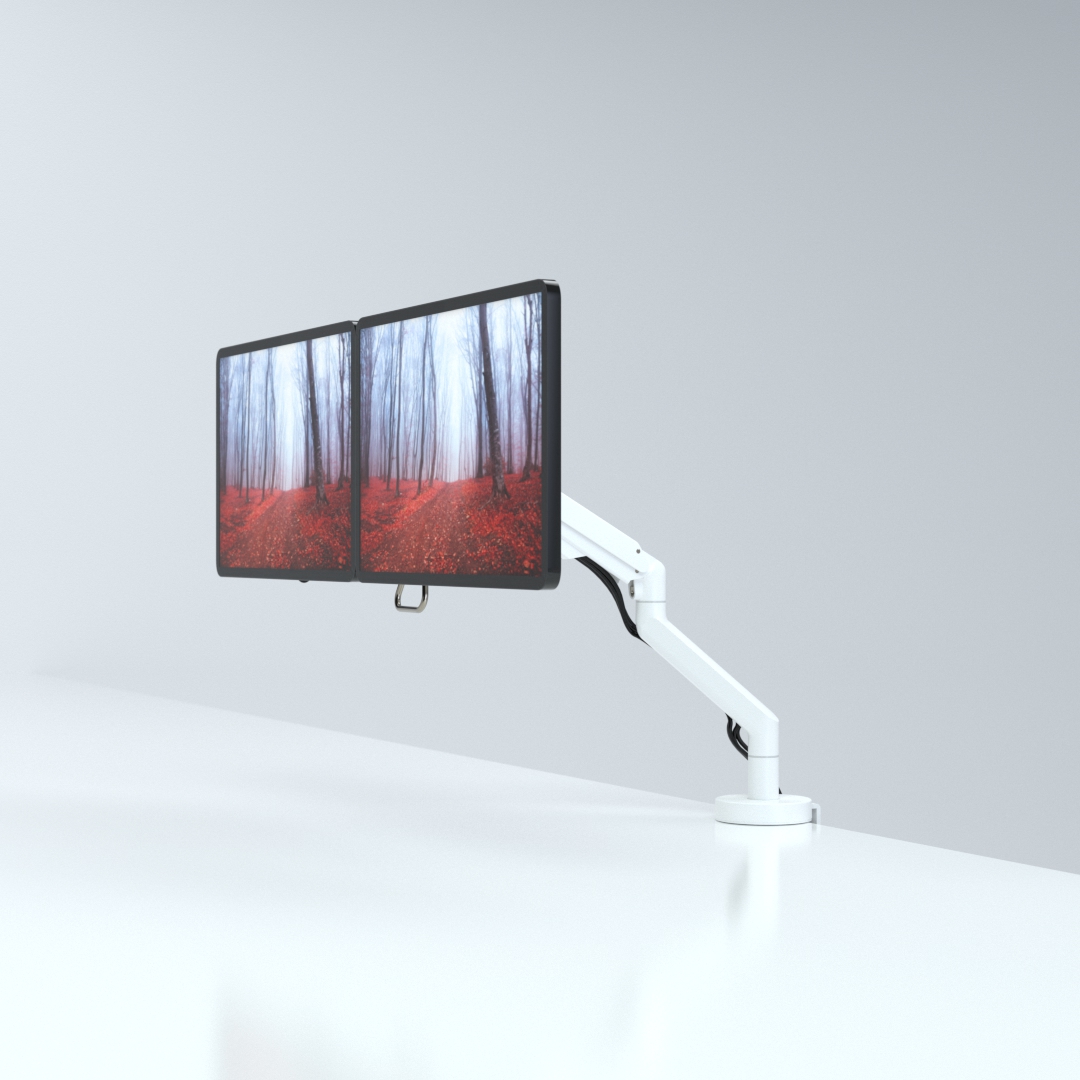
CMD Ltd, the specialist in ergonomic and connectivity solutions for commercial interiors, has completed its Reach monitor arm range with the launch of the Reach Plus. Available in single or dual screen options, the Reach Plus has been designed to provide an ideal solution for both single and dual screen workstation configurations, or can be used with next generation of large format curved screens. Suitable...

Read more
CMD Ltd DEMONSTRATES THE ART OF POWER DISTRIBUTION AT THE UNIVERSITY OF WARWICK

CMD Ltd, the specialist in workplace connectivity and ergonomic solutions, has provided Betatrak busbar power distribution and a range of electrical accessories for two major capital investment projects at the University of Warwick. Designed by Fielden Clegg Bradley Studios, the £33 million Faculty of Arts building is a showpiece development comprising four interconnected structures set around a central atrium, which will enable inter-disciplinary collaboration across...

Read more

University of Warwick
CMD BRINGS HARMONY TO COVENTRY UNIVERSITY RESEARCH FACILITIES

CMD Ltd, the specialist in power distribution solutions and workstation power and ergonomics, has provided under desk and on desk power modules for the refurbishment of three Coventry University research buildings. Located on Coventry University Technology Park, a business park designed to encourage collaboration between the university and knowledge-based businesses, the three buildings are being repurposed as office accommodation for university research teams. The refurbishment...

Read more

Coventry University

Top Tips for Using A4 Address Labels Effectively?

In the fast-paced world of business, effective communication is vital. Address Labels A4 play a crucial role in streamlining operations. According to a recent report by the International Printing and Labeling Association, businesses using A4 address labels reported a 30% increase in shipping efficiency and accuracy. These labels are essential for maintaining professionalism and organization.

Expert John Smith, a recognized authority in labeling solutions, emphasizes the importance of these labels. He stated, "Address Labels A4 are not just for mailing; they enhance brand visibility and customer trust." His insights shed light on the often-overlooked impact that proper labeling can have on a business’s reputation.

In practice, using Address Labels A4 can sometimes present challenges. Issues like misalignment and label adhesion are common. Businesses must continually assess their labeling processes for improvement. Finding the right balance between efficiency and quality is key to harnessing the full potential of address labels. Each label should reflect the standard of excellence businesses strive for while also being practical and functional.

Top Tips for Using A4 Address Labels Effectively?

Understanding the Different Types of A4 Address Labels Available

When selecting A4 address labels, understanding the different types can significantly enhance your labeling projects. Common varieties include matte, glossy, and weather-resistant labels. Matte labels provide a non-reflective surface, making them ideal for handwritten addresses. They absorb ink well, ensuring clarity. Glossy labels, on the other hand, present a shiny finish. They are excellent for printed labels and add a professional touch to packages.

Weather-resistant labels are essential for outdoor usage. They endure various environmental conditions without fading or peeling. This durability makes them suitable for labeling products that are exposed to moisture. Consider the color and adhesive strength of the labels as well. A strong adhesive ensures the label sticks firmly, while vibrant colors can make your addresses stand out.

Different tasks may require different labels. For instance, you might encounter difficulties with labels not adhering properly or smudging when printed. These challenges can lead to wasted materials and time. It is essential to test the labels before committing to large batches. Address verification software can help avoid mistakes. Keeping all these details in mind will allow for a more efficient labeling process.

Choosing the Right Printer for A4 Address Labels

When selecting a printer for A4 address labels, consider the type of labels you will use. Inkjet printers often offer vibrant colors, perfect for eye-catching designs. However, they may smudge if exposed to moisture. For durability, a laser printer could be a better option. Laser printers use heat to bond toner to the label, making them ideal for long-lasting results.

Evaluate the printer’s resolution as well. A higher DPI ensures sharper text and images. This is crucial for readability, especially when printing small fonts. Also, check the printer's feeding mechanism. Some printers struggle with thicker label stock, causing jams. It’s essential to ensure compatibility with A4 label sheets.

Finally, test various printers if possible. Every printer behaves differently with labels. Some may produce better output than others. Reflect on your previous experiences too. Were there issues with misalignment or fading? These factors can influence your choice significantly.

Designing Effective Labels: Tips for Layout and Font

Designing effective labels requires attention to layout and font. A well-structured label not only enhances readability but also communicates the right message. According to the Label Manufacturers Institute, effective labeling can increase customer response rates by up to 20%. This shows how vital design is in the labeling process.

Tip 1: Choose the right font. Sans-serif fonts like Arial or Helvetica are known for their clarity. Limit your font types to two or three. This creates a coherent look. Avoid overly decorative fonts; they can confuse rather than inform. Research indicates that 75% of consumers perceive product quality based on label design.

Tip 2: Prioritize layout. Ensure essential information stands out. Use contrasting colors to highlight critical details such as product names or expiration dates. Aim for a balanced layout to maintain visual appeal. Some designs can feel cluttered; simplicity often drives better communication.

Reflecting on these elements might lead to realizing that what looks good isn't always functionally effective. Testing different designs with focus groups can unveil insights about consumer preferences. Sometimes, the most attractive labels fail to convert. Being open to feedback will refine your labeling efforts over time.

Top Tips for Using A4 Address Labels Effectively

Tip Description Recommended Font Layout Considerations
Use Clear Fonts Choose fonts that are easy to read at a glance, avoiding overly decorative styles. Arial, Helvetica Ensure sufficient spacing between elements for clarity.
Limit Text Keep the information concise to avoid clutter. Verdana, Tahoma Prioritize important information, such as the recipient's name and address.
Use High Contrast Ensure text stands out against the label background for better visibility. Georgia, Times New Roman Avoid colors that blend in too closely with the background.
Consider Size Select the appropriate size of the label based on the amount of text and the purpose. Any size appropriate for readability Ensure the text is comfortably sized to fit within the label.
Test Print Always print a test label before the final print run to check layout and readability. Your chosen font Ensure alignment and proportions are correct.

Common Uses for A4 Address Labels in Personal and Business Settings

A4 address labels serve a variety of purposes in personal and business contexts. For individuals, they can simplify the process of sending out invitations for events like birthdays or weddings. Imagine having all your guest addresses neatly printed on labels. This approach saves time and effort, allowing for a more personal touch. Not to mention, using clear, professional-looking labels can enhance the overall presentation of your invitations.


In the business realm, A4 address labels are equally helpful. They are widely used for shipping, marketing materials, and office organization. Labels can be printed for customer shipments, ensuring that packages arrive at the correct destination. Furthermore, businesses can use labels to organize files or inventory, making it easier to locate important documents. However, it's crucial to check the accuracy of addresses before printing. A simple typo can lead to misdeliveries and unhappy clients.


Effective usage also means being mindful of design. While a clear font is essential, adding some color or a logo can elevate the label's appearance. Yet, this should not compromise readability. Striking a balance between aesthetics and functionality is key. At times, individuals and businesses might find their labels are not adhering properly, reminding us to consider material quality and printer settings.

Best Practices for Storing and Organizing A4 Address Labels

Storing and organizing A4 address labels efficiently can save you time and frustration. Start by selecting the right storage solutions. Consider using a binder or a dedicated drawer. Keep labels flat to prevent curling. You might also want to categorize them by use—personal, business, and festive labels. This organization helps you grab what you need quickly.

Labeling your storage is crucial. A simple label on each binder or drawer can indicate its contents clearly. This minimizes the chance of confusion when you need a specific label. Remember to check your supplies regularly. A depleted stock can lead to last-minute chaos. It's okay to reflect on your organization style. If a system isn't working, don't hesitate to change it. Adaptability is key in keeping your workspace efficient.

Usage of A4 Address Labels in Different Scenarios