

News

Miro: A New Standard in Responsible Innovation

Miro: A New Standard in Responsible Innovation The Miro monitor arm is setting new benchmarks in sustainability. It offers a high-performance solution without compromising on environmental responsibility. Designed with careful material selection, local sourcing, and longevity in mind, Miro’s responsible approach to design and unique manoeuvrability set it apart from the competition. Sustainable Choices Miro is crafted from energy-efficient materials with a lower carbon impact....

Read more
HSE Advisor

Role Purpose Support in the development, implementation and maintenance of the company’s Health, Safety & Environmental policies, processes, operational procedures, and standards.  Ensuring best practice and championing a continually improving HSE culture within the business. Key Responsibilities Liaise with and provide support to all areas of the business to eliminate, mitigate or reduce identified HSE exposures. Partner with the production management team and team leaders,...

Read more
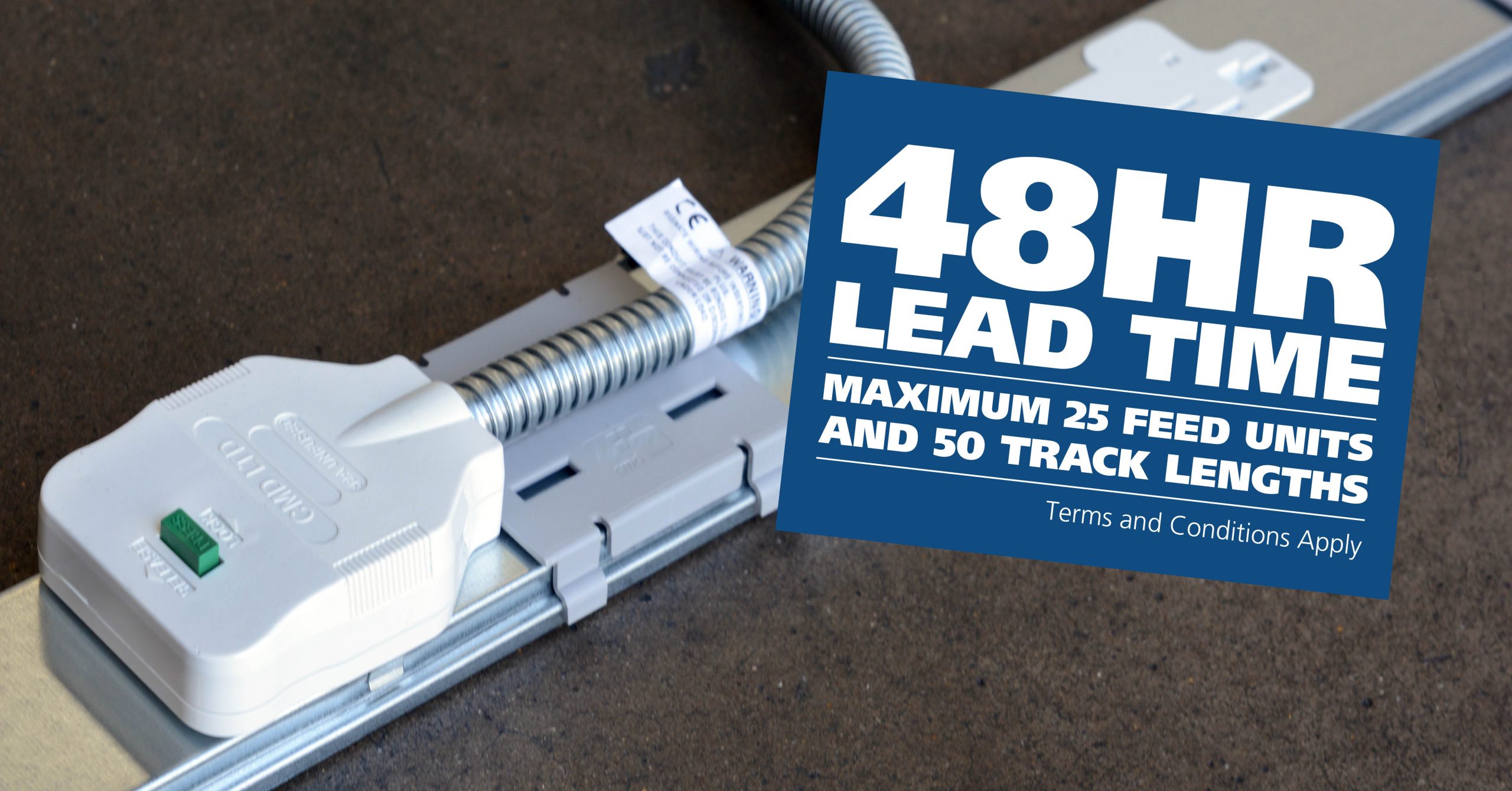
CMD Ltd LAUNCHES 48-HOUR TURNAROUND ON BETATRAK® RAPID ORDERING SERVICE

CMD Ltd, the specialist in power distribution systems, workstation power and monitor arms, has launched a rapid ordering service for its Betatrak® underfloor powertrack distribution systems and accessories, with a commitment to delivering within 48-hours of an approved purchase order*. The service enables customers to order up to 50 lengths of Standard or Clean Earth (C/E) low noise Betatrak, along with up to 25 feed...

Read more
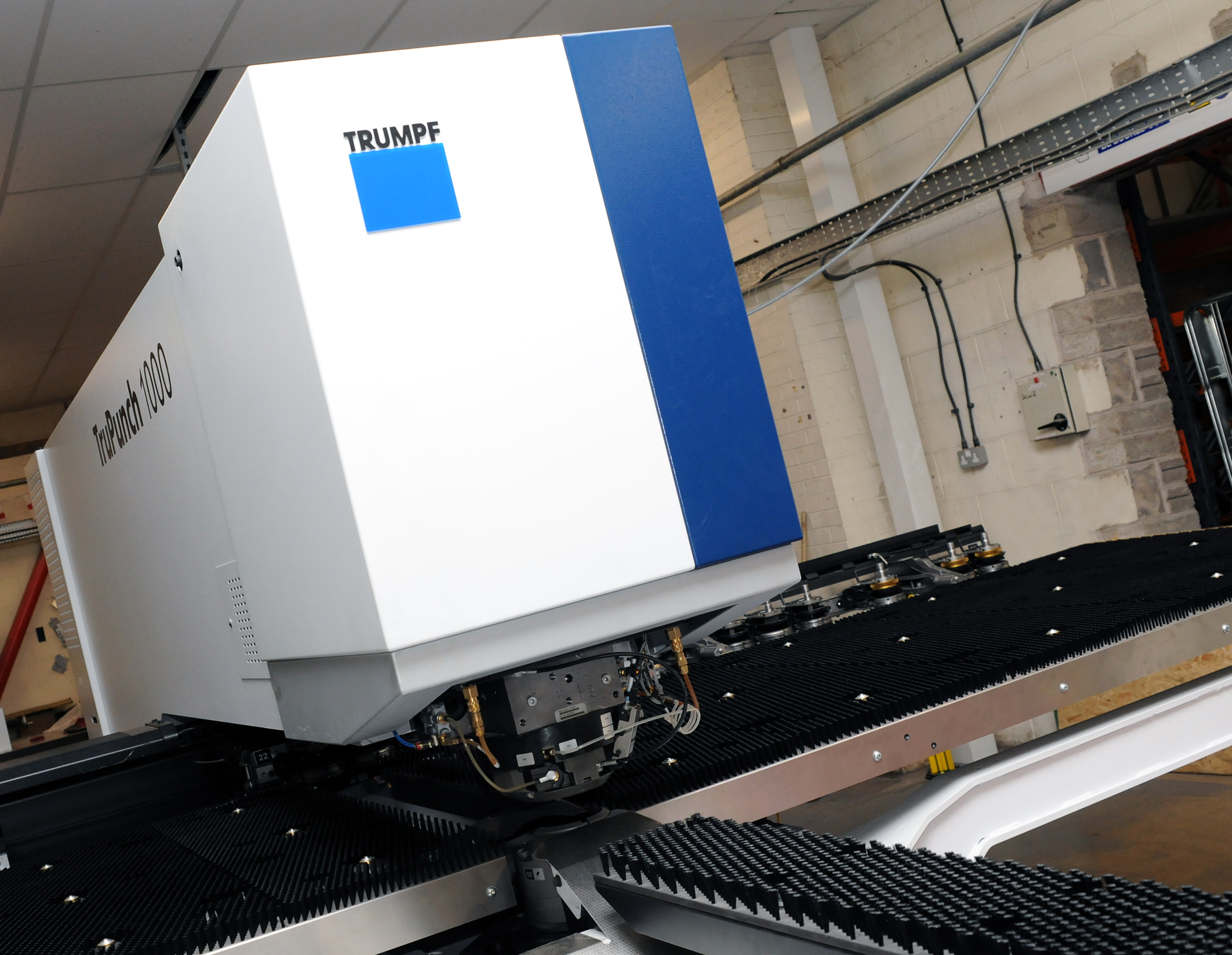
CMD INVESTS £1/4 MILLION IN NEW MACHINE AS PART OF FACTORY UPGRADE

We have invested in a new £1/4m TRUMPF CNC metal punch as part of an asset renewal strategy for our UK manufacturing capability. The new machine will be used in the production of a wide variety of our power distribution systems and workstation power products at our Rotherham factory. Suitable for handling sheet metal between 0.9mm and 3.0mm thick, the new machine will replace one...

Read more
CMD CATALOGUE PROVIDES TECHNICAL POWER DISTRIBUTION GUIDE

CMD Ltd has released a new catalogue, providing an easy to follow technical guide to our power distribution systems and plug and play desk modules. Detailing CMD’s full range of UK-manufactured power distribution systems and plug and play desk modules, the catalogue will be a helpful source of information to M&E engineers and contractors alike to understand how our power distribution systems connect together and...

Read more
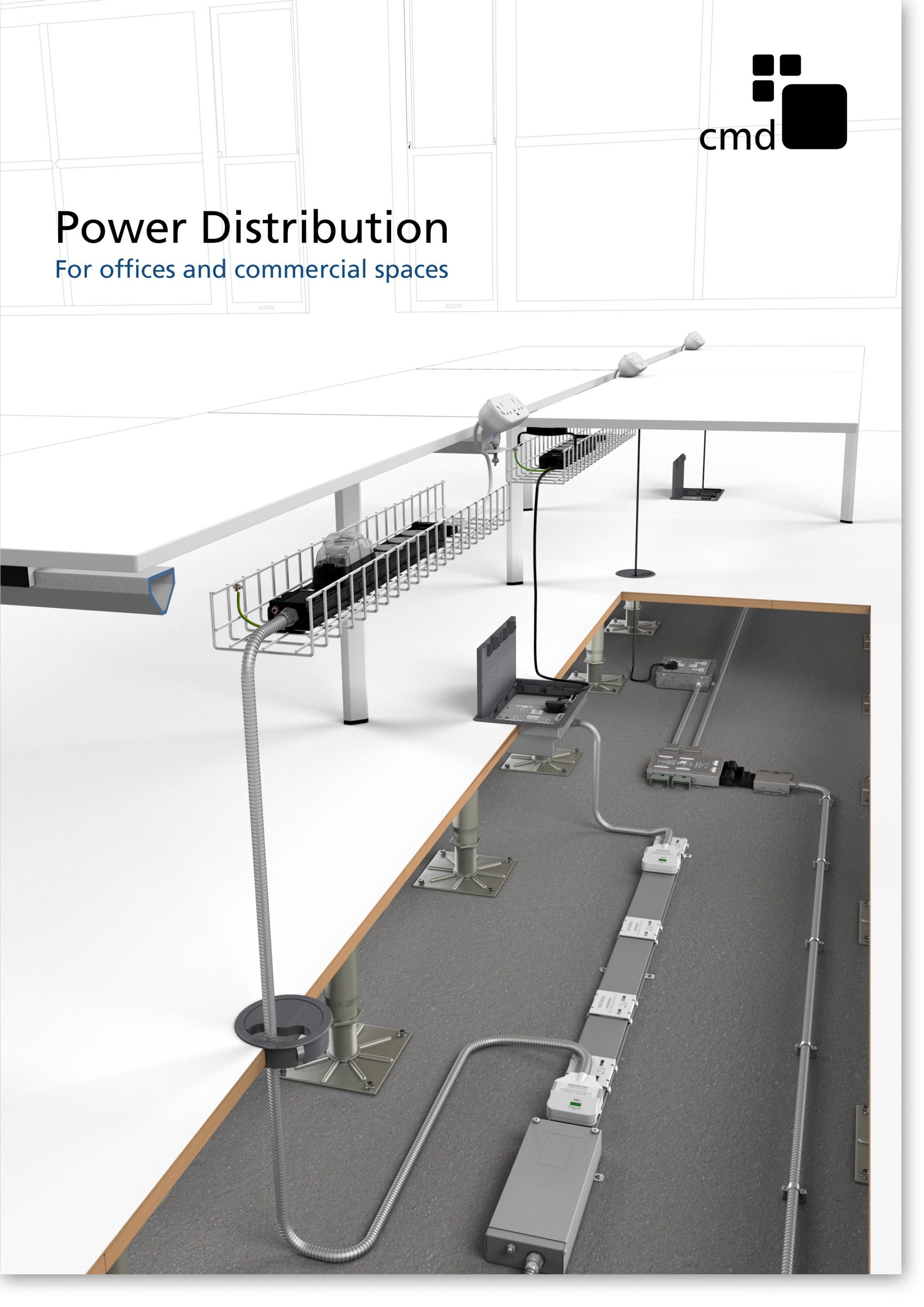
Power Distribution Catalogue
CMD Ltd PLAYS ESSENTIAL ROLE IN ELECTRICAL FIT OUT AT LONDON’S PRESTIGIOUS OFFICE DEVELOPMENT

CMD Ltd, specialist in workplace connectivity and ergonomic solutions, has provided a flexible and high-quality power distribution network for The Ray, a prestigious office development in London’s Farringdon. Well-known for being the former site of The Guardian newspaper, The Ray now stands as an 83,000ft² office development characterised by a modernised warehouse aesthetic, with level two now occupied by a global social media company. The...

Read more

The Ray
CMD plugs in to european opportunity with Schuko Capsule unit launch

CMD Ltd, the specialist in power and connectivity solutions for commercial environments, has launched a Schuko version of its popular fixed format Capsule workstation power module for export to mainland Europe and beyond. A popular on desk power module comprising two sockets and dual USB (type A and C) chargers, CMD’s Capsule unit is already widely specified in the UK as an off-the-shelf workstation power...

Read more
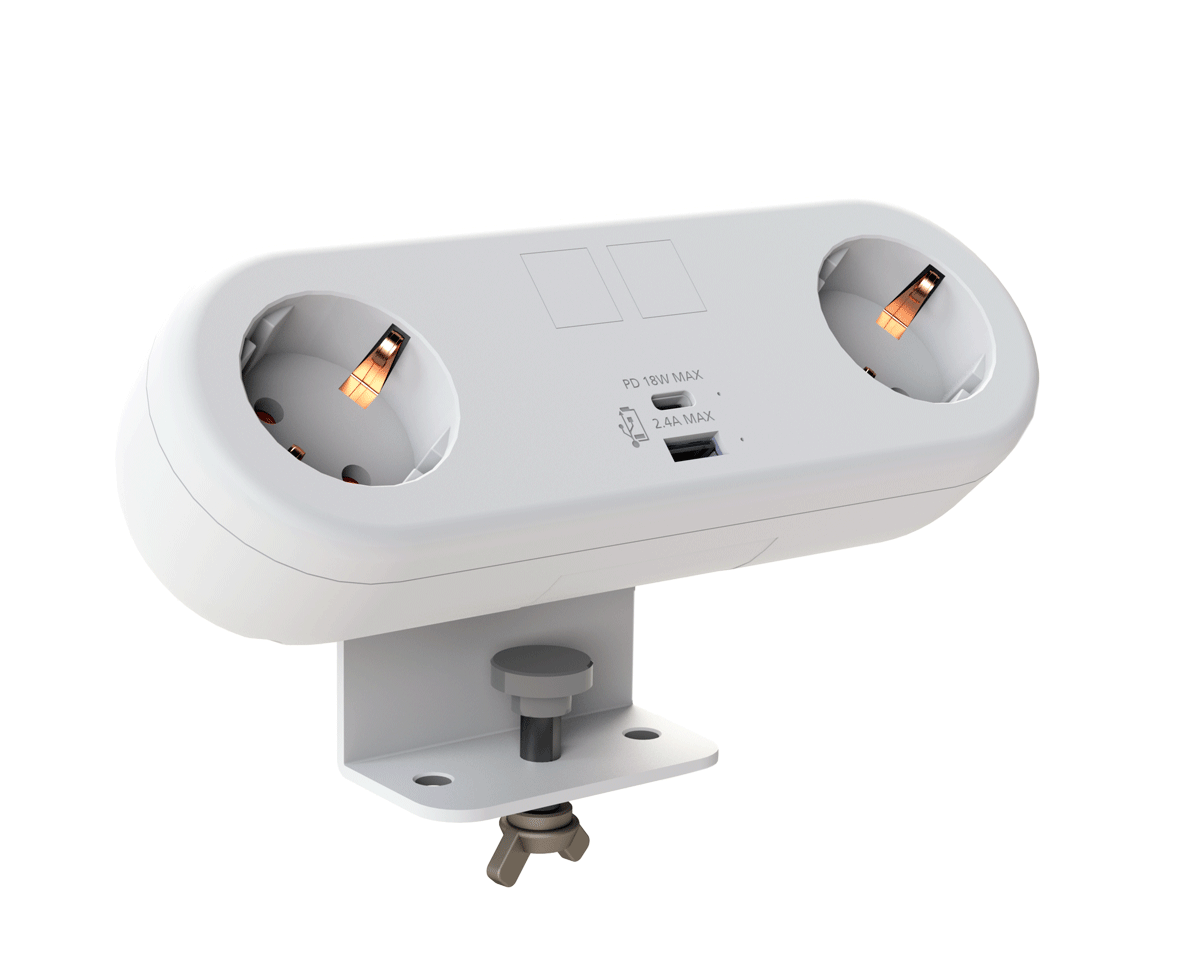
CMD White Schuko Capsule Desk Power Module
CMD LTD EXTENDS MONITOR ARM RANGE WITH THE LAUNCH OF REACH PLUS

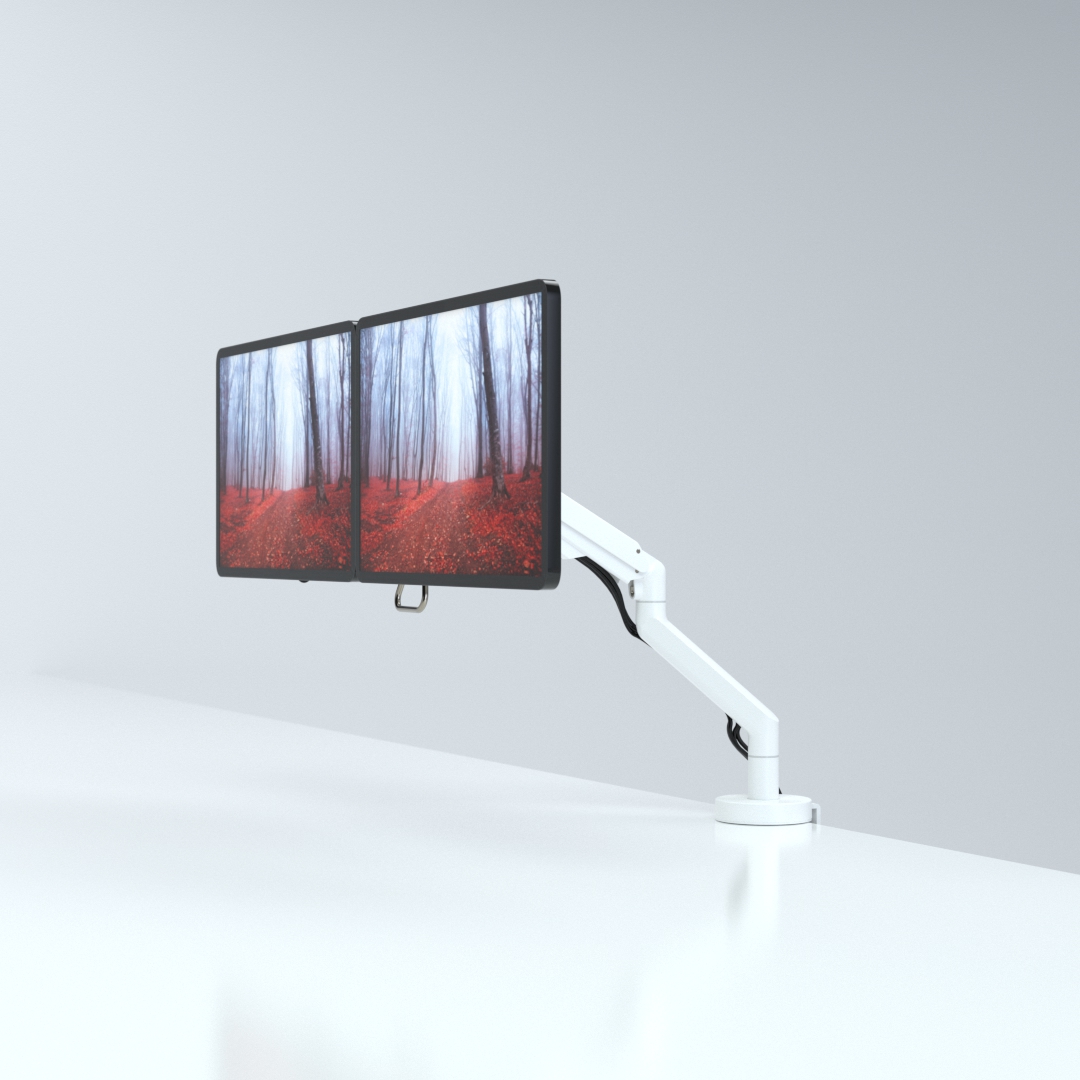
CMD Ltd, the specialist in ergonomic and connectivity solutions for commercial interiors, has completed its Reach monitor arm range with the launch of the Reach Plus. Available in single or dual screen options, the Reach Plus has been designed to provide an ideal solution for both single and dual screen workstation configurations, or can be used with next generation of large format curved screens. Suitable...

Read more
CMD Ltd DEMONSTRATES THE ART OF POWER DISTRIBUTION AT THE UNIVERSITY OF WARWICK

CMD Ltd, the specialist in workplace connectivity and ergonomic solutions, has provided Betatrak busbar power distribution and a range of electrical accessories for two major capital investment projects at the University of Warwick. Designed by Fielden Clegg Bradley Studios, the £33 million Faculty of Arts building is a showpiece development comprising four interconnected structures set around a central atrium, which will enable inter-disciplinary collaboration across...

Read more

University of Warwick
CMD BRINGS HARMONY TO COVENTRY UNIVERSITY RESEARCH FACILITIES

CMD Ltd, the specialist in power distribution solutions and workstation power and ergonomics, has provided under desk and on desk power modules for the refurbishment of three Coventry University research buildings. Located on Coventry University Technology Park, a business park designed to encourage collaboration between the university and knowledge-based businesses, the three buildings are being repurposed as office accommodation for university research teams. The refurbishment...

Read more

Coventry University

10 Tips to Choose the Right Jacquard Driving Board?

Choosing the right Jacquard Driving Board can determine whether a textile line runs smoothly or loses hours to unstable patterns and repeated adjustments. In practice, the board is not merely a control component. It coordinates electronic signals, needle selection, pattern accuracy, response speed, and communication with the loom system. A small mismatch may appear as broken motifs, uneven fabric, or unexplained machine stops.

Industry data supports careful selection. The International Textile Machinery Federation’s International Textile Machinery Shipment Statistics reports continued investment in modern weaving equipment, although demand differs across regions and machine categories. This shift increases the need for compatible, serviceable control hardware. Market reports from MarketsandMarkets also identify automation, digital control, and production efficiency as important directions in textile machinery. These reports offer useful context, but they do not replace testing the board on your actual loom.

Details matter. Check interface compatibility, output capacity, operating voltage, heat resistance, firmware support, and repair access. Ask how the board performs during long production runs, not only during a short demonstration. A supplier should provide wiring diagrams, test records, failure guidance, and traceable specifications. That evidence builds confidence.

Some choices still remain difficult. The cheapest board may reduce the purchase budget but increase downtime later. A high-end model may offer features your factory never uses. This guide presents ten practical tips for comparing a Jacquard Driving Board by reliability, integration, maintenance, and lifecycle value. Think beyond the first quotation. A stable signal at 2 a.m. can matter more than a polished sales brochure.

10 Tips to Choose the Right Jacquard Driving Board?

Understand Jacquard Driving Board Types and Core Functions

A Jacquard driving board controls how pattern data reaches the lifting mechanism. Its core work includes signal processing, actuator control, timing, and fault monitoring. Common types include electronic boards, modular boards, and servo-controlled boards. Electronic boards suit modern looms with digital pattern files. Modular designs help technicians replace one section without changing the entire system. Servo-controlled versions offer accurate movement and smoother speed adjustment, especially in complex patterns.

Tip 1: Match the board with the loom’s voltage, connector layout, and communication protocol. A perfect-looking board can still fail when timing signals differ.

Tip 2: Check driving capacity, including channel quantity, switching frequency, and heat tolerance. During factory testing, I inspect wiring temperature after long operation. Small heat marks often reveal overloaded circuits earlier than software alarms.

Core functions should include stable pulse output, synchronized shedding control, and protection against overcurrent or signal loss. Look for clear diagnostic indicators and accessible testing points. These details reduce downtime and make maintenance less dependent on guesswork.

Tip 3: Ask for waveform data, service records, and compatibility instructions before purchase. Technical documents are more useful than confident promises.

Tip 4: Consider future pattern expansion, not only today’s production needs. I once focused too much on initial cost; the limited interface later created unnecessary delays. A reliable choice balances response speed, repair access, operating conditions, and verified machine compatibility.

Match Board Specifications with Your Jacquard Machine

10 Tips to Choose the Right Jacquard Driving Board

Match the board to your machine, not only to the pattern size.

Tip 1: Confirm the jacquard head type and hook count. Tip 2: Check the machine’s rated voltage, current, and connector pinout. Tip 3: Compare the board’s output channels with every solenoid group. A small mismatch can stop production. Tip 4: Verify mounting holes and board dimensions before ordering.

ITMF’s 46th International Textile Machinery Shipment Statistics reported about 119,000 shuttleless looms shipped in 2023, a 39% yearly decline. This pressure makes reliable upgrades more important.

Tip 5 Match the communication protocol and signal timing. Some machines require precise synchronization with the main shaft encoder. Tip 6 Check pattern memory and file compatibility.

Tip 7: Review the maximum operating speed under real load, not laboratory conditions. Tip 8: Inspect cooling space, dust protection, and cable length.

In factory trials, heat near the control cabinet often receives too little attention. That is a practical weakness.

Tip 9: Ask for wiring diagrams, test records, and firmware details. ISO 13849-1 also encourages risk-based evaluation of safety-related control systems.

Tip 10: Test one board on an idle machine before full installation. Record missed hooks, repeated faults, and temperature changes.

Do not trust a perfect first sample.

Textile floors contain vibration, lint, and unstable power. A second review may reveal what specifications alone miss.

Evaluate Control Compatibility and Pattern Programming Needs

10 Tips to Choose the Right Jacquard Driving Board

Evaluate the controller before judging its price. Tip 1: Confirm voltage, current, and connector compatibility with the existing loom. Tip 2: Check communication protocols and signal timing. Tip 3: Request a complete wiring diagram, not only a product photo. Tip 4: Test the board with your actual actuator load. A bench test is not enough. I once trusted matching connectors and missed a timing difference that caused irregular lifting. That mistake was avoidable.

Pattern programming deserves equal attention. Tip 5: Verify file formats, pattern capacity, and transfer methods. Tip 6: Ask whether the software supports editing, scaling, and repeat settings. Tip 7: Examine how easily operators can correct one row during production. Clear menus matter. Tip 8: Check memory protection and backup procedures. Losing a carefully prepared pattern wastes more than time. A small error matters.

Maintenance can reveal the board’s real value. Tip 9: Choose diagnostic tools that show sensor faults, communication errors, and channel status. Tip 10: Confirm technical documentation, training, and replacement support. Ask for test records under working conditions. Keep sample patterns ready for comparison. The best choice may still require adjustment after installation. Control compatibility and programming needs should be reviewed together, because a powerful board becomes limiting when operators cannot use it confidently.

10 Tips to Choose the Right Jacquard Driving Board? - Evaluate Control Compatibility and Pattern Programming Needs

No. Evaluation Dimension What to Check Practical Selection Guidance Verification Method Potential Risk if Mismatched
1 Machine and Harness Compatibility Connector layout, pin assignment, output channel arrangement, signal polarity, and cable length. Select a board whose electrical interface matches the existing machine wiring, or plan a documented harness conversion. Compare the machine wiring diagram with the board pinout and perform a continuity test before applying power. Incorrect wiring can cause inactive hooks, unintended actuation, short circuits, or permanent component damage.
2 Solenoid Capacity and Channel Count Number of independently controlled hooks or needles, connector grouping, and spare output requirements. Choose a channel count equal to or greater than the machine’s active actuators, including any required expansion margin. Confirm the actual hook count and map every output channel to a physical actuator during a low-speed test. Insufficient channels create missing pattern elements; incorrect channel mapping produces distorted designs.
3 Electrical Voltage and Current Handling Required supply voltage, peak coil current, average load, protection against overcurrent, and heat dissipation. Match the board to the solenoid electrical rating and verify that the power supply can support simultaneous or grouped activation. Measure the supply under load and compare coil resistance and current requirements with the board specifications. Voltage mismatch may cause weak actuation, overheating, driver failure, or shortened solenoid life.
4 Timing and Motion Synchronization Clock input, encoder or position signal, firing delay, cycle speed, and synchronization with the main shaft. Prefer adjustable timing and a position-feedback input when the machine operates at variable speed or requires precise shed formation. Run a test pattern at several speeds and compare the programmed position with the actual fabric repeat. Timing errors can create skipped picks, pattern displacement, uneven shed opening, or fabric defects.
5 Pattern Programming Format Supported pattern file formats, bitmap or matrix structure, repeat size, color or lift coding, and data conversion rules. Choose a controller that accepts the formats used by the design workflow and preserves the intended hook sequence without manual re-entry. Import a representative production file and compare its row, column, repeat, and lift information with the source design. Unsupported or incorrectly converted files may produce reversed, mirrored, truncated, or incomplete patterns.
6 Pattern Memory and Data Management Internal memory, removable storage, maximum pattern size, file naming, backup, and recovery functions. Allow enough capacity for the largest repeat and retain backup space for production recipes and revisions. Load the largest planned pattern, save multiple revisions, and verify that data remains intact after restart. Limited memory can force pattern segmentation, while poor data protection increases the risk of lost production settings.
7 Communication with the Main Controller Communication interface, data rate, handshaking, start/stop signals, fault feedback, and electrical isolation. Use an interface supported by the machine controller and confirm whether real-time synchronization or only pattern transfer is required. Test start, stop, reset, fault, and data-transfer commands under normal and interrupted communication conditions. Communication failure may stop production, desynchronize the pattern, or prevent the machine from responding safely.
8 Diagnostics and Fault Monitoring Channel indicators, error codes, open-coil detection, short-circuit protection, event logs, and test mode. Prioritize clear channel-level diagnostics when rapid troubleshooting and reduced downtime are important. Disconnect one actuator at a time and confirm that the board identifies the correct channel and fault condition. Poor diagnostics increase troubleshooting time and may allow repeated faults to damage drivers or solenoids.
9 Operating Environment and Reliability Permitted temperature and humidity, vibration resistance, dust protection, cooling, grounding, and electrical noise tolerance. Select an enclosure and installation method suited to the loom area, with adequate airflow and protection from lint, moisture, and vibration. Review environmental ratings and monitor board temperature during a continuous production trial. Heat, dust, moisture, or electromagnetic interference can cause intermittent outputs and premature electronic failure.
10 Safety, Maintenance, and Lifecycle Support Emergency-stop behavior, safe restart, isolation, replaceable modules, firmware update process, documentation, and spare availability. Choose a board with documented fail-safe behavior, accessible maintenance procedures, and support for the expected service period. Test emergency stop, power recovery, fault reset, firmware backup, and replacement-board configuration before production use. Unsafe restart or unavailable spare parts can increase injury risk, downtime, and total ownership cost.
Recommended evaluation sequence: Confirm electrical and mechanical compatibility first, validate timing and pattern conversion next, and then complete a full-speed production trial with safety and fault-recovery tests.

Compare Durability, Maintenance, Safety, and Supplier Support

Choosing the right jacquard driving board requires more than checking output channels. Durability starts with the operating environment. Look for stable performance under vibration, heat, humidity, and repeated switching. IPC-A-610 workmanship criteria can help evaluate solder joints, connectors, and assembly quality. In textile production, dust is easily overlooked. It can settle inside cooling paths and raise component temperatures.

Maintenance should be practical, not theoretical. Ask whether technicians can replace fuses, connectors, or control modules without removing the entire loom interface. Uptime Institute’s 2024 Annual Outage Analysis reported that 54% of serious outages exceeded $100,000 in total impact. The figure concerns data facilities, but the lesson applies: small failures can create expensive downtime. Favor boards with visible diagnostics, fault logs, and clear wiring labels. Remote support helps. It is not a substitute for local skills.

Safety requires documented testing and disciplined installation. Check insulation protection, grounding, emergency-stop compatibility, and conformity with applicable machinery standards such as IEC 60204-1. A supplier should provide test records, firmware procedures, spare-part availability, and realistic response times. Request evidence, not promises. Manufacturing surveys often show maintenance teams struggle with skills shortages, so unclear manuals create risk. I would also test one board during normal production before wider adoption. Laboratory results can be excellent, yet field behavior may differ. That uncomfortable gap deserves attention.

Assess Costs, Installation Requirements, and Long-Term Value

10 Tips to Choose the Right Jacquard Driving Board

A low purchase price rarely shows the complete cost. Compare the board, compatible cables, control software, shipping, spare parts, and technician time. Ask for a written warranty and a clear test report. Reliable suppliers should explain failure rates, inspection methods, and replacement procedures without vague promises.

Measure the installation area before ordering. Check mounting holes, board dimensions, voltage, current, grounding, cooling, and communication compatibility. A crowded cabinet can trap heat around the driving board. Leave service space for probes, connectors, and safe cable handling. Confirm whether your existing jacquard machine needs adapters or firmware changes. Installation may require a qualified technician, especially when power loads are high.

Long-term value depends on stability, repair access, and energy use. Review the expected operating hours, working temperature, dust exposure, and vibration level. Choose components that can be replaced individually rather than discarding an entire assembly. Ask how long technical support and software updates will remain available. In my experience, a slightly higher initial cost can reduce repeated stoppages and emergency labor. Still, this is not guaranteed. One project underestimated cable routing and lost two production days. A small pilot installation could have revealed that problem earlier. Calculate total cost over three to five years, including downtime, inspections, electricity, and training. Keep installation drawings and test records. They make future troubleshooting faster.