

News

Miro: A New Standard in Responsible Innovation

Miro: A New Standard in Responsible Innovation The Miro monitor arm is setting new benchmarks in sustainability. It offers a high-performance solution without compromising on environmental responsibility. Designed with careful material selection, local sourcing, and longevity in mind, Miro’s responsible approach to design and unique manoeuvrability set it apart from the competition. Sustainable Choices Miro is crafted from energy-efficient materials with a lower carbon impact....

Read more
HSE Advisor

Role Purpose Support in the development, implementation and maintenance of the company’s Health, Safety & Environmental policies, processes, operational procedures, and standards.  Ensuring best practice and championing a continually improving HSE culture within the business. Key Responsibilities Liaise with and provide support to all areas of the business to eliminate, mitigate or reduce identified HSE exposures. Partner with the production management team and team leaders,...

Read more
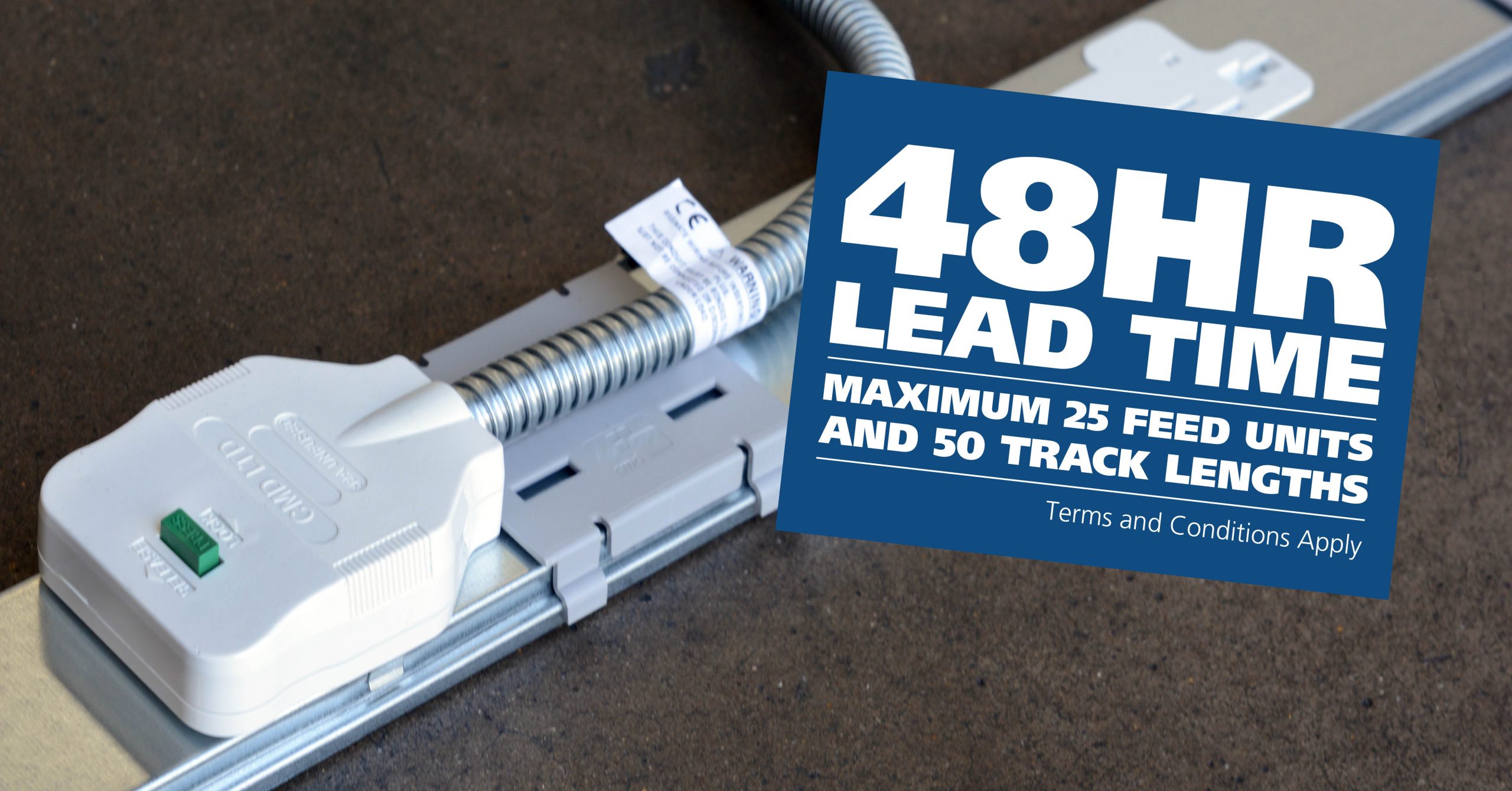
CMD Ltd LAUNCHES 48-HOUR TURNAROUND ON BETATRAK® RAPID ORDERING SERVICE

CMD Ltd, the specialist in power distribution systems, workstation power and monitor arms, has launched a rapid ordering service for its Betatrak® underfloor powertrack distribution systems and accessories, with a commitment to delivering within 48-hours of an approved purchase order*. The service enables customers to order up to 50 lengths of Standard or Clean Earth (C/E) low noise Betatrak, along with up to 25 feed...

Read more
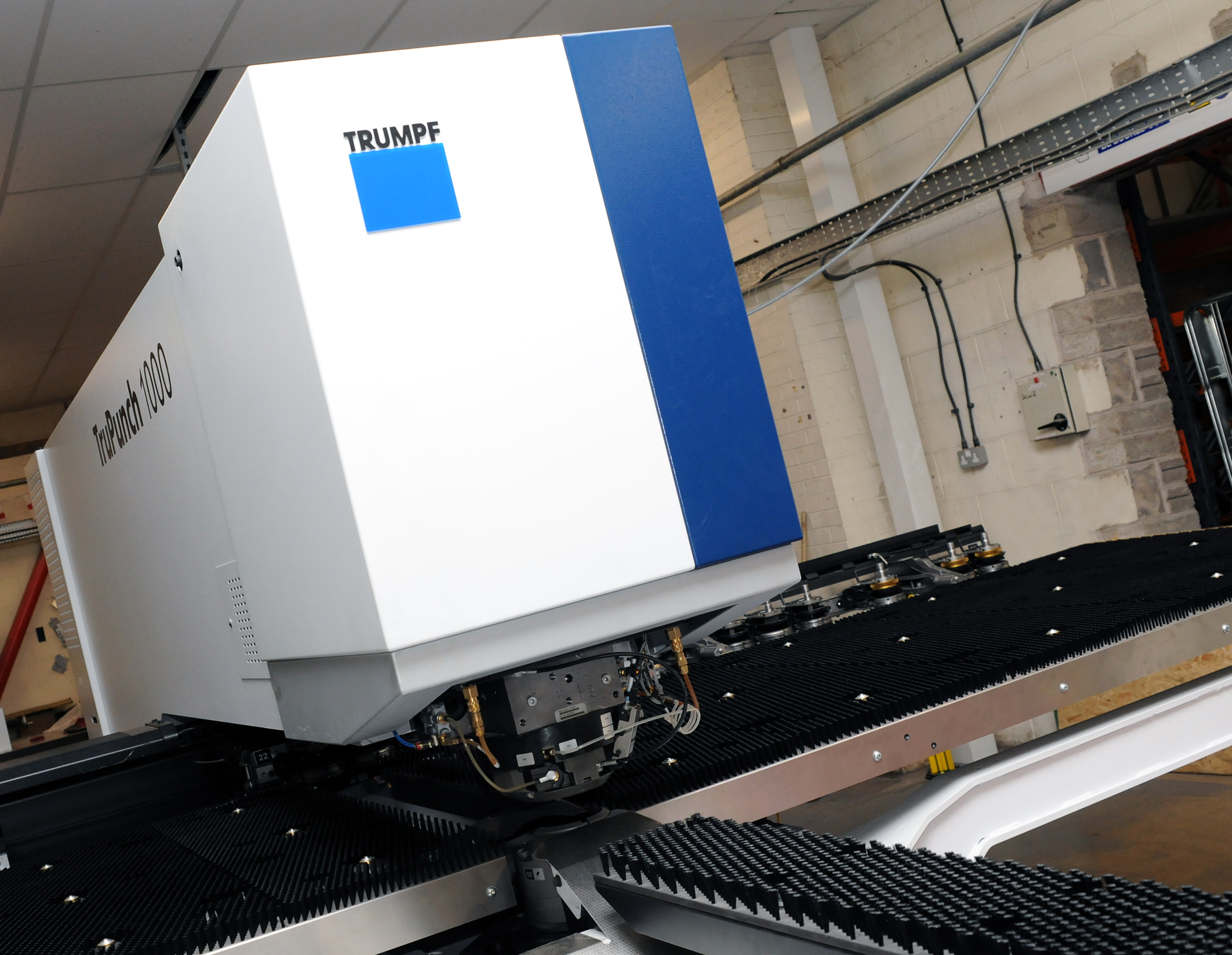
CMD INVESTS £1/4 MILLION IN NEW MACHINE AS PART OF FACTORY UPGRADE

We have invested in a new £1/4m TRUMPF CNC metal punch as part of an asset renewal strategy for our UK manufacturing capability. The new machine will be used in the production of a wide variety of our power distribution systems and workstation power products at our Rotherham factory. Suitable for handling sheet metal between 0.9mm and 3.0mm thick, the new machine will replace one...

Read more
CMD CATALOGUE PROVIDES TECHNICAL POWER DISTRIBUTION GUIDE

CMD Ltd has released a new catalogue, providing an easy to follow technical guide to our power distribution systems and plug and play desk modules. Detailing CMD’s full range of UK-manufactured power distribution systems and plug and play desk modules, the catalogue will be a helpful source of information to M&E engineers and contractors alike to understand how our power distribution systems connect together and...

Read more
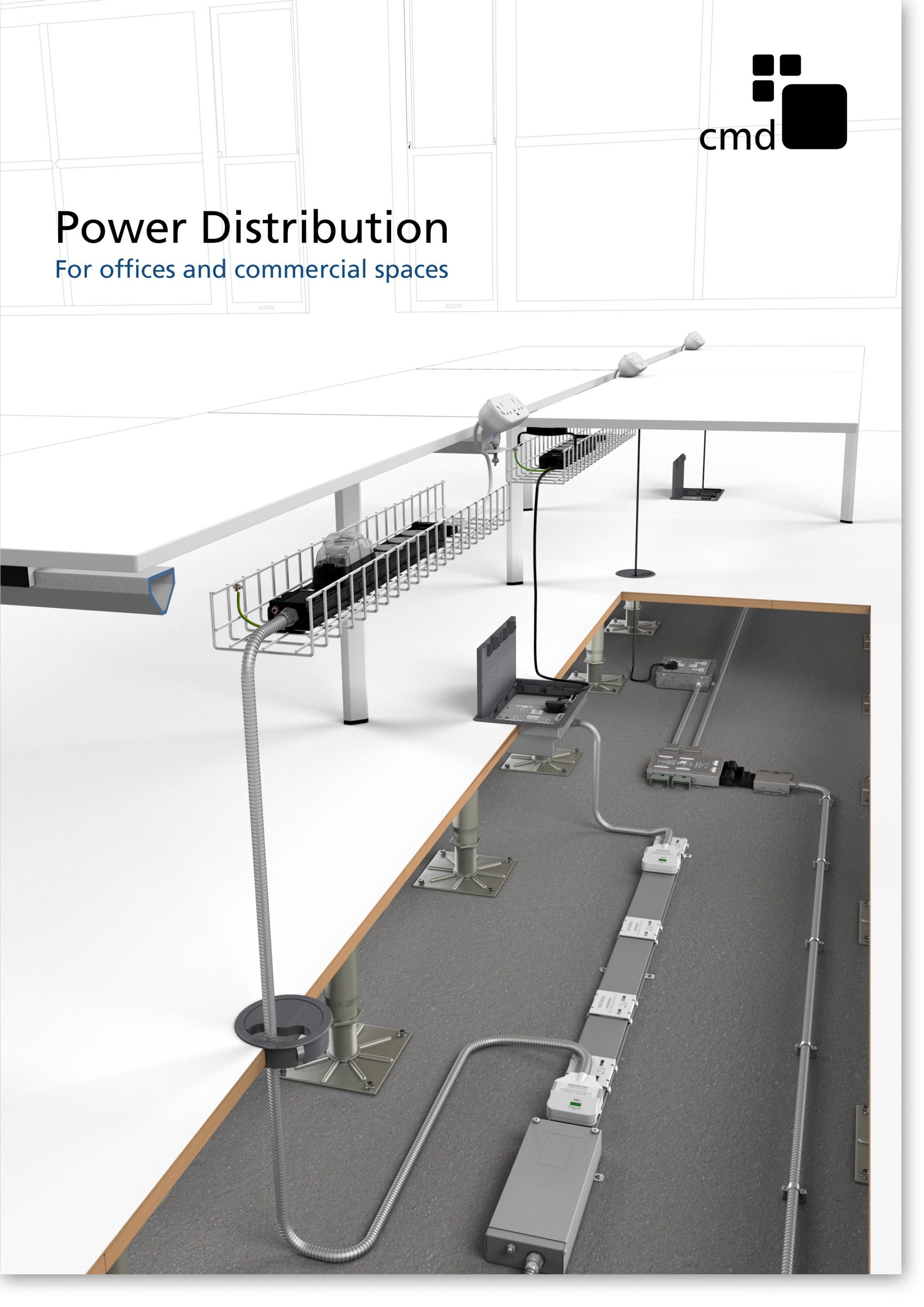
Power Distribution Catalogue
CMD Ltd PLAYS ESSENTIAL ROLE IN ELECTRICAL FIT OUT AT LONDON’S PRESTIGIOUS OFFICE DEVELOPMENT

CMD Ltd, specialist in workplace connectivity and ergonomic solutions, has provided a flexible and high-quality power distribution network for The Ray, a prestigious office development in London’s Farringdon. Well-known for being the former site of The Guardian newspaper, The Ray now stands as an 83,000ft² office development characterised by a modernised warehouse aesthetic, with level two now occupied by a global social media company. The...

Read more

The Ray
CMD plugs in to european opportunity with Schuko Capsule unit launch

CMD Ltd, the specialist in power and connectivity solutions for commercial environments, has launched a Schuko version of its popular fixed format Capsule workstation power module for export to mainland Europe and beyond. A popular on desk power module comprising two sockets and dual USB (type A and C) chargers, CMD’s Capsule unit is already widely specified in the UK as an off-the-shelf workstation power...

Read more
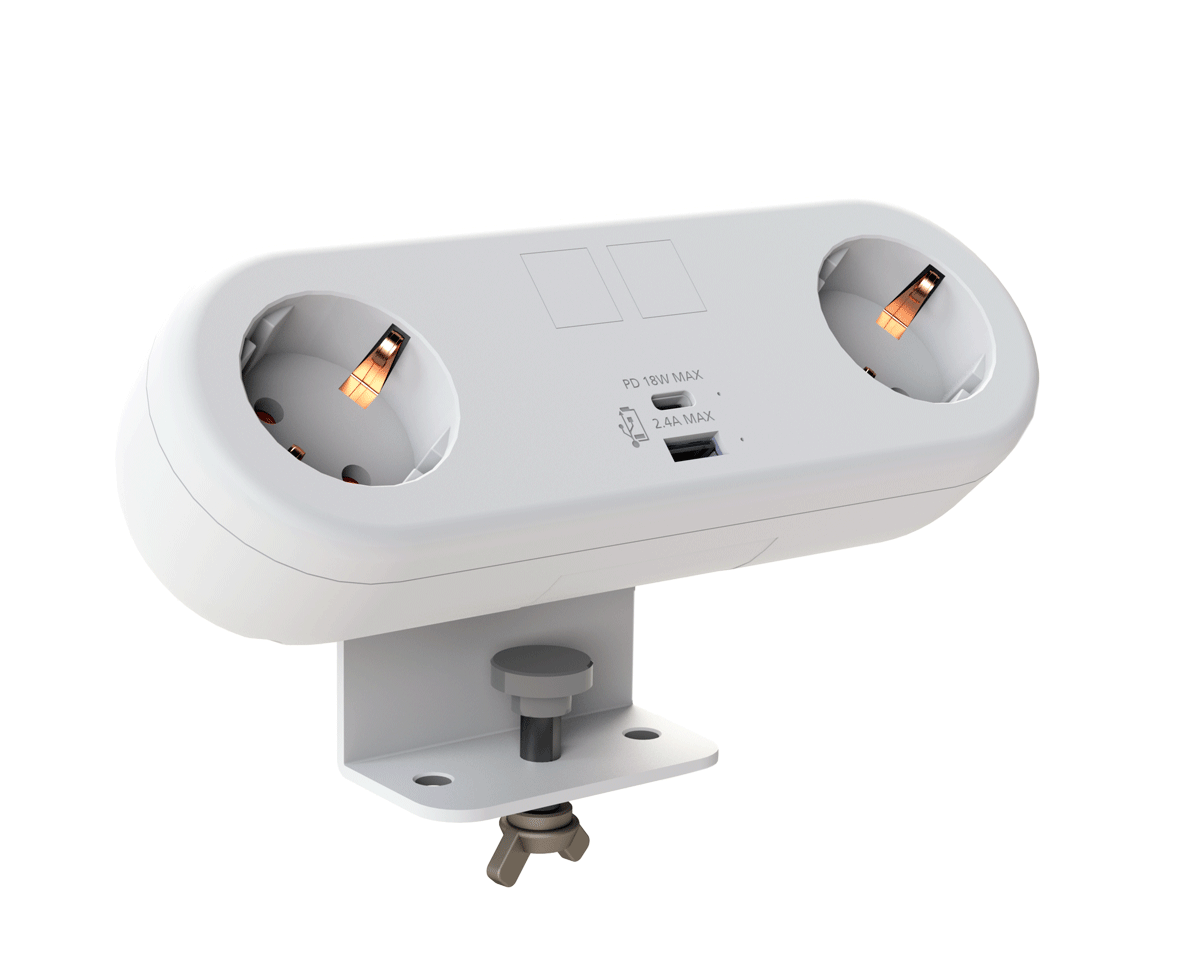
CMD White Schuko Capsule Desk Power Module
CMD LTD EXTENDS MONITOR ARM RANGE WITH THE LAUNCH OF REACH PLUS

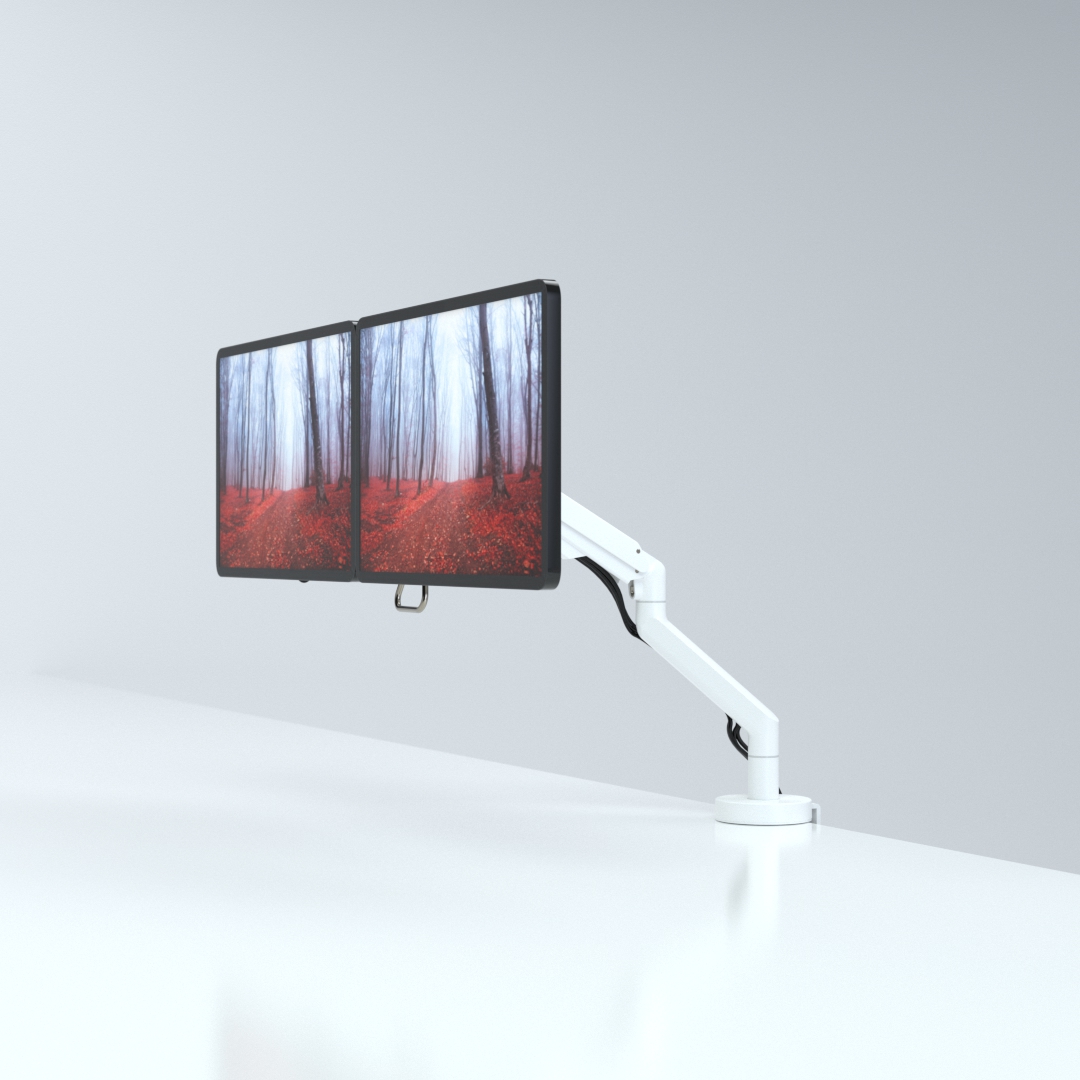
CMD Ltd, the specialist in ergonomic and connectivity solutions for commercial interiors, has completed its Reach monitor arm range with the launch of the Reach Plus. Available in single or dual screen options, the Reach Plus has been designed to provide an ideal solution for both single and dual screen workstation configurations, or can be used with next generation of large format curved screens. Suitable...

Read more
CMD Ltd DEMONSTRATES THE ART OF POWER DISTRIBUTION AT THE UNIVERSITY OF WARWICK

CMD Ltd, the specialist in workplace connectivity and ergonomic solutions, has provided Betatrak busbar power distribution and a range of electrical accessories for two major capital investment projects at the University of Warwick. Designed by Fielden Clegg Bradley Studios, the £33 million Faculty of Arts building is a showpiece development comprising four interconnected structures set around a central atrium, which will enable inter-disciplinary collaboration across...

Read more

University of Warwick
CMD BRINGS HARMONY TO COVENTRY UNIVERSITY RESEARCH FACILITIES

CMD Ltd, the specialist in power distribution solutions and workstation power and ergonomics, has provided under desk and on desk power modules for the refurbishment of three Coventry University research buildings. Located on Coventry University Technology Park, a business park designed to encourage collaboration between the university and knowledge-based businesses, the three buildings are being repurposed as office accommodation for university research teams. The refurbishment...

Read more

Coventry University

Best 86 Touch Screen Monitor for Your Business Needs?

In today's digital landscape, the demand for effective communication tools is rising. Businesses increasingly rely on technology to enhance productivity. The 86 Touch Screen Monitor stands out as a versatile solution for various professional needs. According to a recent report from MarketsandMarkets, the touch screen monitor market is expected to grow by 12.3% annually, driven by educational and corporate sectors.

Notably, industry expert Dr. Anna Liu emphasizes the importance of these devices. "Investing in an 86 Touch Screen Monitor can revolutionize presentations and collaboration," she states. This type of monitor serves as a powerful interface for seamless interaction, bridging gaps in communication.

Despite the remarkable features of the 86 Touch Screen Monitor, not all options on the market meet high standards. Businesses must critically assess their needs. Price, quality, and functionality vary widely. Choosing the right monitor can feel overwhelming. A well-informed decision is crucial for maximizing investment returns.

Best 86 Touch Screen Monitor for Your Business Needs?

Types of Touch Screen Monitors Suitable for Business Applications

When choosing touch screen monitors for business applications, several types cater to different needs. The most common are capacitive and resistive touch screens. Capacitive screens are highly responsive, making them ideal for environments requiring quick interactions. These screens detect touch through electrical charges. Thus, they often provide a smooth user experience.

Resistive touch screens, on the other hand, are more cost-effective. They work by pressure applied to the screen, making them reliable in industrial settings. However, they may not be as sensitive as capacitive screens. This can lead to slower responses, which might frustrate users in fast-paced environments.

Additionally, interactive flat panel displays are gaining popularity in workspaces. Their size and clarity enhance collaboration. These displays can be used for presentations or team brainstorming sessions, providing a vibrant canvas. However, they can be bulky and may require more installation space. Understanding the unique aspects of each type ensures businesses find the right touch screen monitors for their specific needs.

Key Features to Look for in a Touch Screen Monitor

When choosing a touch screen monitor for your business, consider several key features. The resolution is critical. A monitor with 1920x1080 pixels offers better image clarity, which is vital for detailed presentations. Research from the Display Industry Association shows that high-resolution displays can increase productivity by up to 20%.

Another feature to focus on is the touchscreen technology. Capacitive monitors usually perform better than resistive types. They provide smoother touch experiences and can support multi-touch gestures. A report by the Touch Screen Panel Association highlights that capacitive touchscreen technology is 30% more effective for user engagement.

Tips for selecting a touch screen monitor include evaluating display size and brightness. A size of at least 27 inches is ideal for office setups. Furthermore, a brightness of 250 nits or more ensures visibility in well-lit environments. Be wary of lower-quality models; they may lead to frustration. Reflect on the durability factor as well. Frequent use can lead to wear and tear, impacting performance. Prioritize monitors designed for long-term use to mitigate this issue.

Touch Screen Monitor Features Comparison

Comparative Review of the Top 86 Touch Screen Monitors

When selecting the best 86-inch touch screen monitor for your business, consider the diverse options available in the market. A comparative review of top models reveals differences in resolution, touch sensitivity, and connectivity. Research indicates that 86% of businesses will increase their reliance on interactive displays by 2025. This trend highlights the importance of selecting a monitor that meets specific needs.

Some monitors offer 4K resolution, enhancing clarity and detail. Features such as multi-touch support enable multiple users to interact simultaneously. Studies show that effective collaborative tools can boost productivity by up to 30%. However, some monitors may lack adequate connectivity options, which can hinder user experience. It’s crucial to weigh these factors carefully.

Incorporating user feedback is essential. A survey revealed that 45% of users found touch responsiveness lacking in several models. This feedback can guide choices, ensuring that your chosen monitor delivers the intended performance. Investigating warranty and support is also vital, as issues may arise post-purchase. Make informed decisions based on data and real-world experiences to ensure your investment pays off.

Cost-Effectiveness: Budgeting for Your Touch Screen Monitor Purchase

Investing in a touch screen monitor is essential for modern business needs. However, budgeting wisely can significantly impact your overall costs. A recent industry report indicates that businesses can save up to 30% by choosing monitors that balance performance with price. This means understanding your specific requirements before making a purchase. For instance, consider the size and resolution that best suit your operating environment.

The initial expense of a high-quality touch screen might deter some businesses. Still, the long-term benefits often outweigh these costs. According to data from TechInsights, companies using interactive displays saw a 20% increase in productivity. This increase can justify the initial investment, especially for environments where efficiency is critical. However, some organizations may overlook maintenance costs. Regular upkeep is vital to ensure that these monitors perform optimally over time.

Another critical point is the potential for obsolescence. Technology evolves quickly, so investing in machines with upgradable features can be beneficial. Only 25% of businesses consider future-proofing when purchasing tech products. This oversight can lead to additional expenses down the road as older systems become incompatible with newer software. Therefore, approach your budgeting with a long-term strategy in mind.

Best 86 Touch Screen Monitor for Your Business Needs? - Cost-Effectiveness: Budgeting for Your Touch Screen Monitor Purchase

Model Resolution Touch Technology Price ($) Warranty (Years)
Model A 1920 x 1080 Capacitive 1500 3
Model B 3840 x 2160 Infrared 2000 2
Model C 2560 x 1440 Optical 1800 1
Model D 1920 x 1080 Capacitive 1400 3
Model E 3840 x 2160 Infrared 2300 2

Maintenance and Support for Touch Screen Monitors in Business Environments

Maintaining touch screen monitors in business environments is crucial for smooth operations. Regular upkeep ensures these devices function effectively. Businesses should schedule periodic maintenance checks. This practice helps identify potential issues before they escalate. Dust and grime can accumulate on screens, impacting visibility and responsiveness. A simple cleaning protocol can improve efficiency.

Support for touch screen monitors is also vital. Users may face software glitches or calibration issues. Providing training for staff can enhance their ability to troubleshoot basic problems. Additionally, an IT support team should be on standby for more complex challenges. Companies often overlook the significance of user education, which can lead to wasted time and resources.

Investing in a good maintenance plan can pay off. It reduces downtime and minimizes replacement costs. However, not all businesses prioritize these aspects. Some may find it challenging to implement regular checkups due to budget constraints. Reflecting on these weaknesses can lead to better practices in the long run. Every business can benefit from a proactive approach to monitor maintenance and support.