

News

Miro: A New Standard in Responsible Innovation

Miro: A New Standard in Responsible Innovation The Miro monitor arm is setting new benchmarks in sustainability. It offers a high-performance solution without compromising on environmental responsibility. Designed with careful material selection, local sourcing, and longevity in mind, Miro’s responsible approach to design and unique manoeuvrability set it apart from the competition. Sustainable Choices Miro is crafted from energy-efficient materials with a lower carbon impact....

Read more
HSE Advisor

Role Purpose Support in the development, implementation and maintenance of the company’s Health, Safety & Environmental policies, processes, operational procedures, and standards.  Ensuring best practice and championing a continually improving HSE culture within the business. Key Responsibilities Liaise with and provide support to all areas of the business to eliminate, mitigate or reduce identified HSE exposures. Partner with the production management team and team leaders,...

Read more
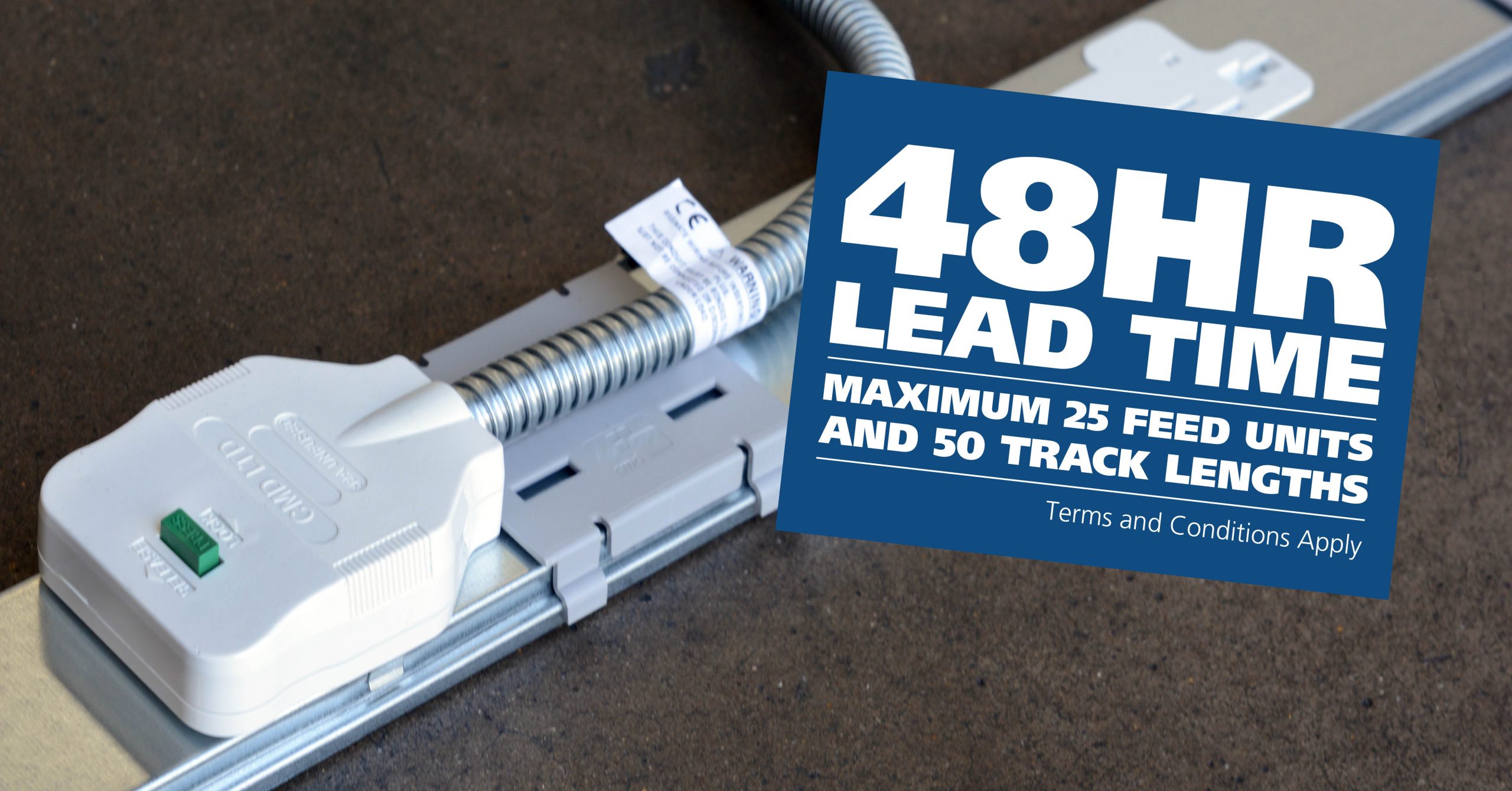
CMD Ltd LAUNCHES 48-HOUR TURNAROUND ON BETATRAK® RAPID ORDERING SERVICE

CMD Ltd, the specialist in power distribution systems, workstation power and monitor arms, has launched a rapid ordering service for its Betatrak® underfloor powertrack distribution systems and accessories, with a commitment to delivering within 48-hours of an approved purchase order*. The service enables customers to order up to 50 lengths of Standard or Clean Earth (C/E) low noise Betatrak, along with up to 25 feed...

Read more
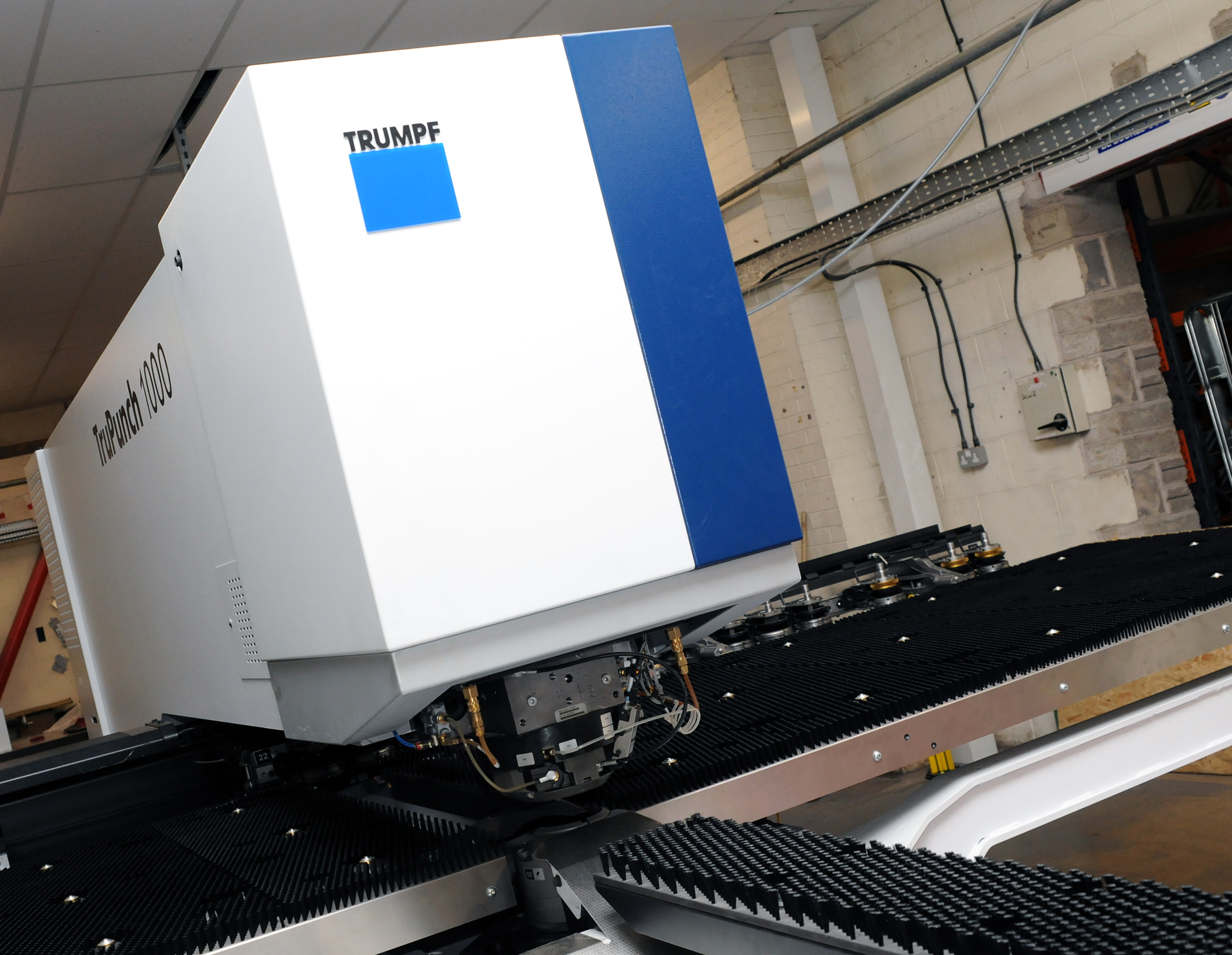
CMD INVESTS £1/4 MILLION IN NEW MACHINE AS PART OF FACTORY UPGRADE

We have invested in a new £1/4m TRUMPF CNC metal punch as part of an asset renewal strategy for our UK manufacturing capability. The new machine will be used in the production of a wide variety of our power distribution systems and workstation power products at our Rotherham factory. Suitable for handling sheet metal between 0.9mm and 3.0mm thick, the new machine will replace one...

Read more
CMD CATALOGUE PROVIDES TECHNICAL POWER DISTRIBUTION GUIDE

CMD Ltd has released a new catalogue, providing an easy to follow technical guide to our power distribution systems and plug and play desk modules. Detailing CMD’s full range of UK-manufactured power distribution systems and plug and play desk modules, the catalogue will be a helpful source of information to M&E engineers and contractors alike to understand how our power distribution systems connect together and...

Read more
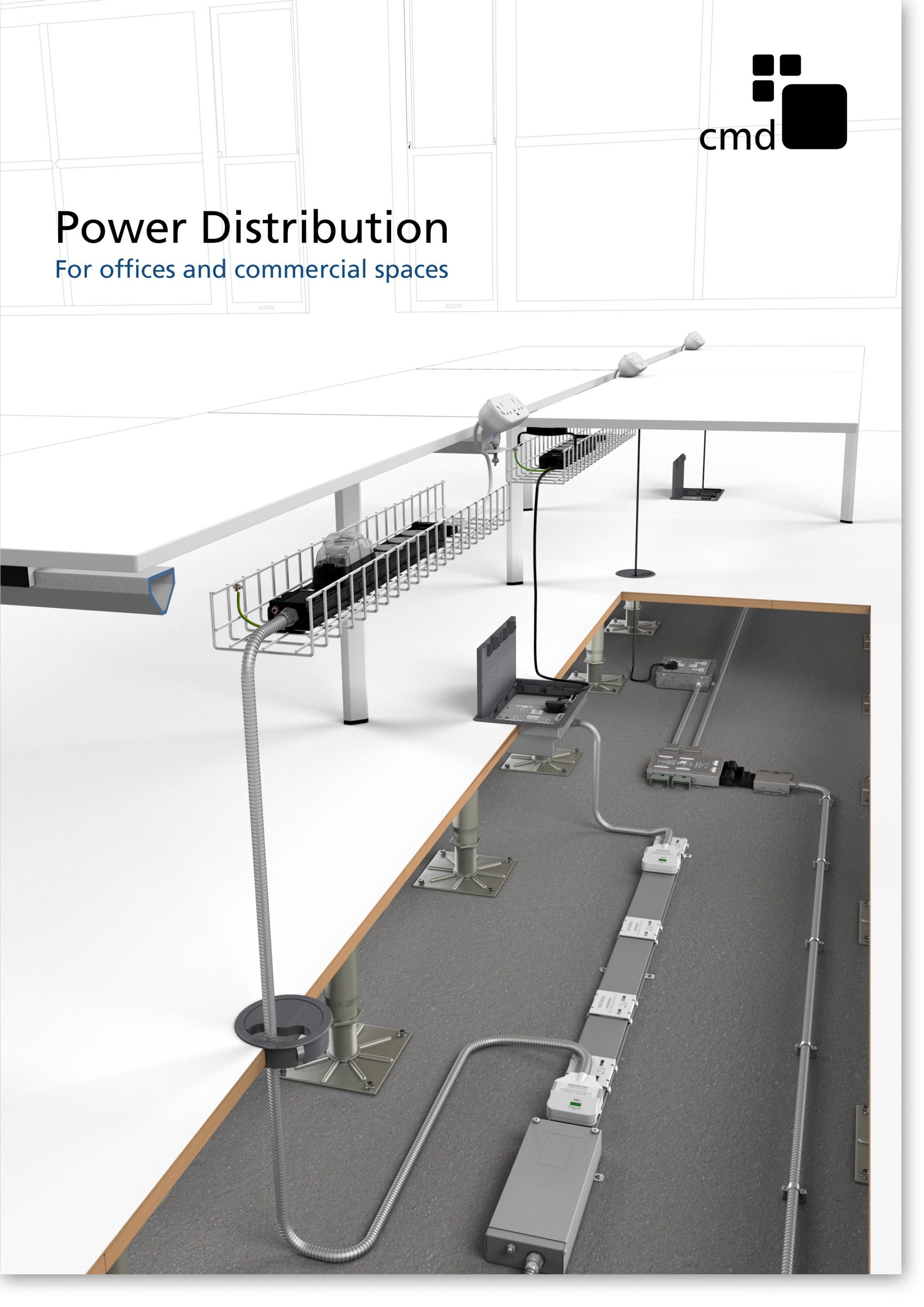
Power Distribution Catalogue
CMD Ltd PLAYS ESSENTIAL ROLE IN ELECTRICAL FIT OUT AT LONDON’S PRESTIGIOUS OFFICE DEVELOPMENT

CMD Ltd, specialist in workplace connectivity and ergonomic solutions, has provided a flexible and high-quality power distribution network for The Ray, a prestigious office development in London’s Farringdon. Well-known for being the former site of The Guardian newspaper, The Ray now stands as an 83,000ft² office development characterised by a modernised warehouse aesthetic, with level two now occupied by a global social media company. The...

Read more

The Ray
CMD plugs in to european opportunity with Schuko Capsule unit launch

CMD Ltd, the specialist in power and connectivity solutions for commercial environments, has launched a Schuko version of its popular fixed format Capsule workstation power module for export to mainland Europe and beyond. A popular on desk power module comprising two sockets and dual USB (type A and C) chargers, CMD’s Capsule unit is already widely specified in the UK as an off-the-shelf workstation power...

Read more
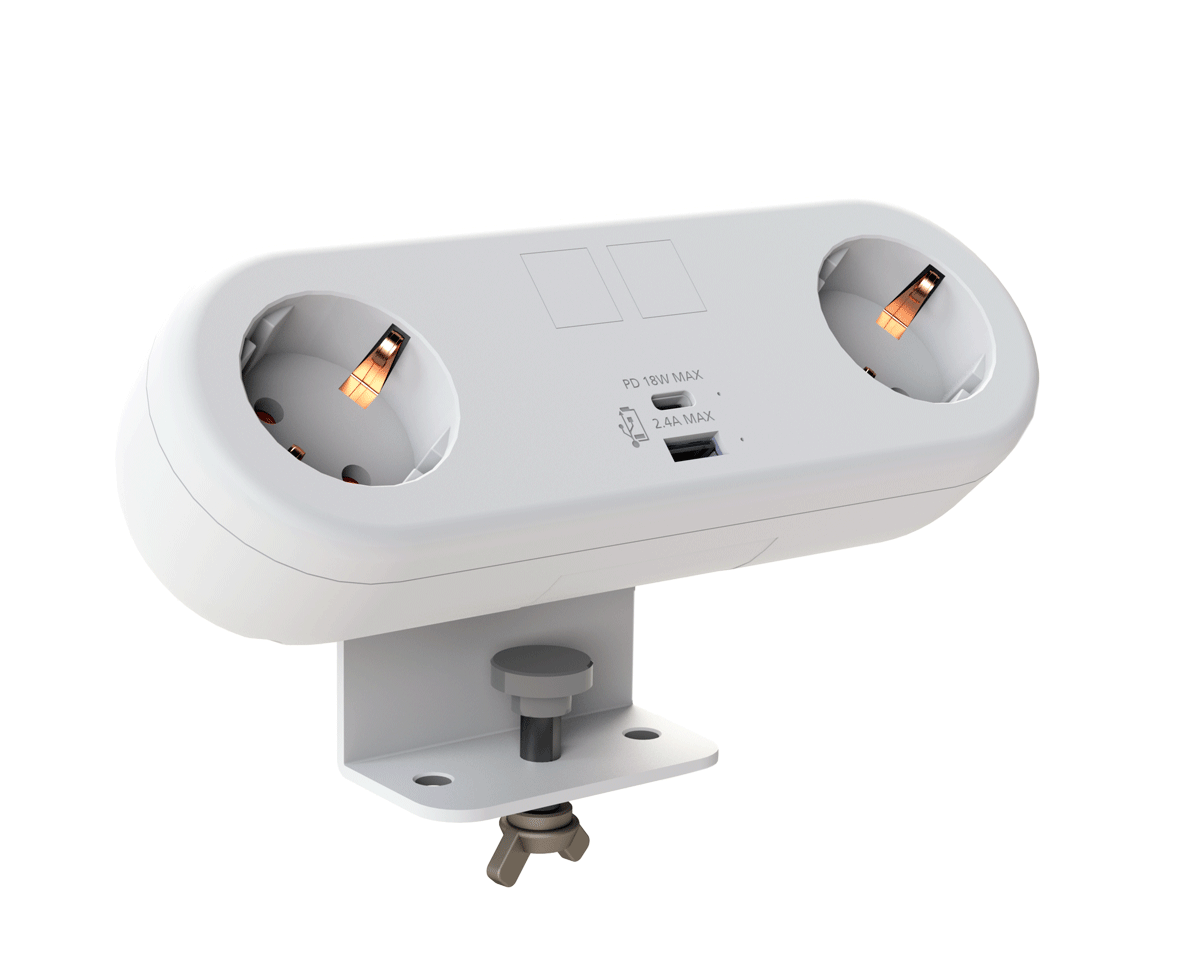
CMD White Schuko Capsule Desk Power Module
CMD LTD EXTENDS MONITOR ARM RANGE WITH THE LAUNCH OF REACH PLUS

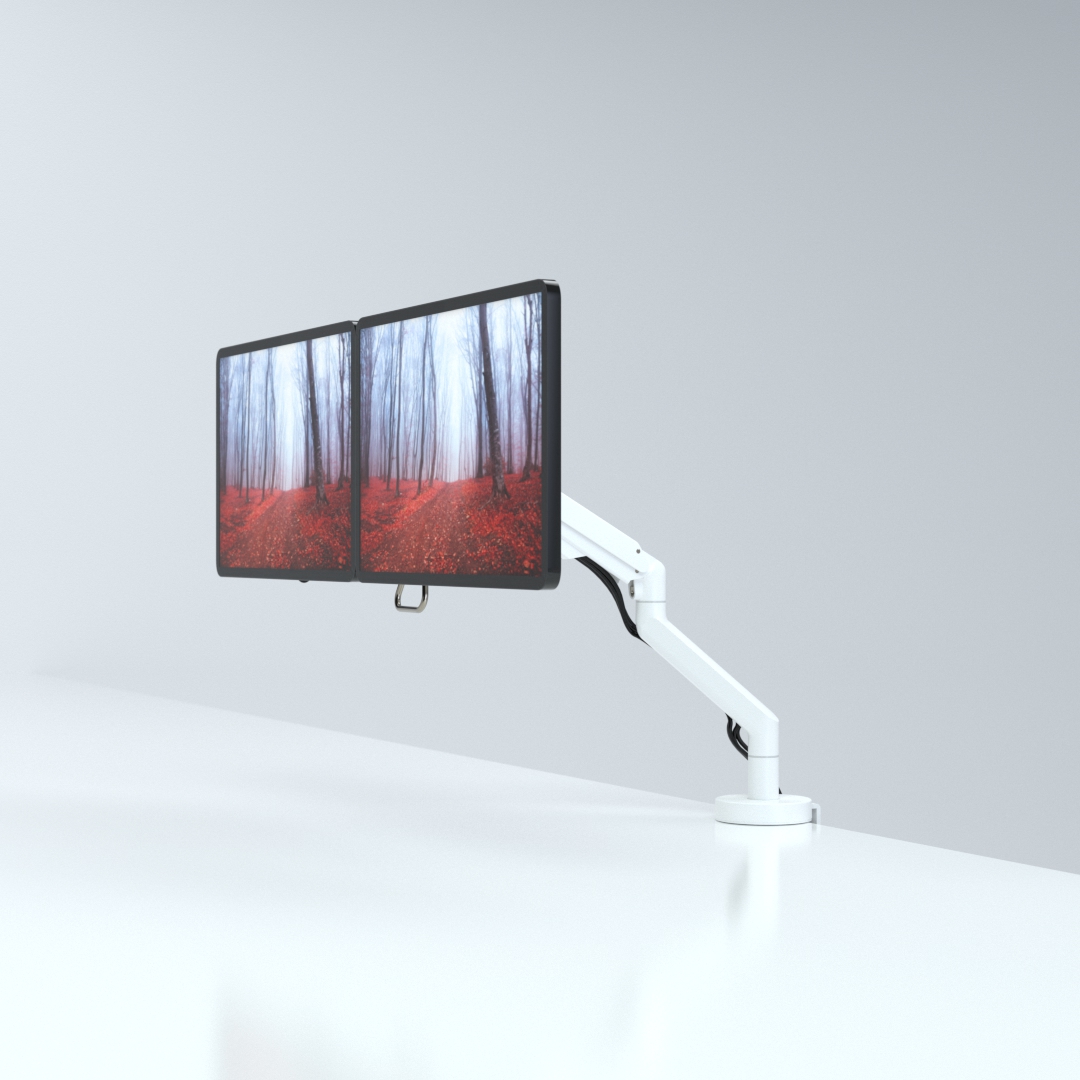
CMD Ltd, the specialist in ergonomic and connectivity solutions for commercial interiors, has completed its Reach monitor arm range with the launch of the Reach Plus. Available in single or dual screen options, the Reach Plus has been designed to provide an ideal solution for both single and dual screen workstation configurations, or can be used with next generation of large format curved screens. Suitable...

Read more
CMD Ltd DEMONSTRATES THE ART OF POWER DISTRIBUTION AT THE UNIVERSITY OF WARWICK

CMD Ltd, the specialist in workplace connectivity and ergonomic solutions, has provided Betatrak busbar power distribution and a range of electrical accessories for two major capital investment projects at the University of Warwick. Designed by Fielden Clegg Bradley Studios, the £33 million Faculty of Arts building is a showpiece development comprising four interconnected structures set around a central atrium, which will enable inter-disciplinary collaboration across...

Read more

University of Warwick
CMD BRINGS HARMONY TO COVENTRY UNIVERSITY RESEARCH FACILITIES

CMD Ltd, the specialist in power distribution solutions and workstation power and ergonomics, has provided under desk and on desk power modules for the refurbishment of three Coventry University research buildings. Located on Coventry University Technology Park, a business park designed to encourage collaboration between the university and knowledge-based businesses, the three buildings are being repurposed as office accommodation for university research teams. The refurbishment...

Read more

Coventry University

10 Best Industrial Panel PCs for Global Buyers

Industrial automation is moving from isolated machine control toward connected, data-driven production. The International Federation of Robotics reported 541,302 industrial robots were installed worldwide in 2023. Each robot cell needs dependable interfaces for operators, technicians, and maintenance teams. That is where an Industrial Panel Pc becomes practical. It can display alarms, production figures, camera feeds, and maintenance instructions beside noisy equipment.

The International Data Corporation’s Worldwide Edge Spending Guide projects global edge-computing investment to reach approximately $378 billion by 2028. This growth increases demand for rugged computing near machines, rather than relying only on distant servers. MarketsandMarkets also identifies industrial computers as important platforms for automation, manufacturing analytics, and industrial IoT deployments. These reports suggest a clear direction. Yet market growth does not make every panel PC suitable for every factory.

Global buyers must examine screen brightness, glove-touch performance, processor life cycles, operating temperature, ingress protection, mounting options, and long-term support. A bright 15.6-inch display may work beside a packaging line, while a sealed fanless unit may better suit dusty processing areas. Small details matter. A difficult-to-replace cable can create unnecessary downtime.

This guide compares ten leading Industrial Panel Pc options for international purchasing teams. It considers specifications, application fit, reliability, service availability, and integration requirements. The ranking is useful, but not absolute. Real factory conditions vary, and published laboratory ratings may not reflect vibration, heat, or cleaning routines on site. Buyers should validate shortlisted models through pilot testing, supplier documentation, and local support checks before making a final decision.

10 Best Industrial Panel PCs for Global Buyers

What Is an Industrial Panel PC and Where Is It Used?

An industrial panel PC is a computer built into a flat, protected display. It combines processing, touch control, and industrial connectivity in one enclosure. Unlike an office desktop, it can operate near vibration, dust, humidity, and changing temperatures. Its sealed front surface also makes cleaning easier around machines and workstations.

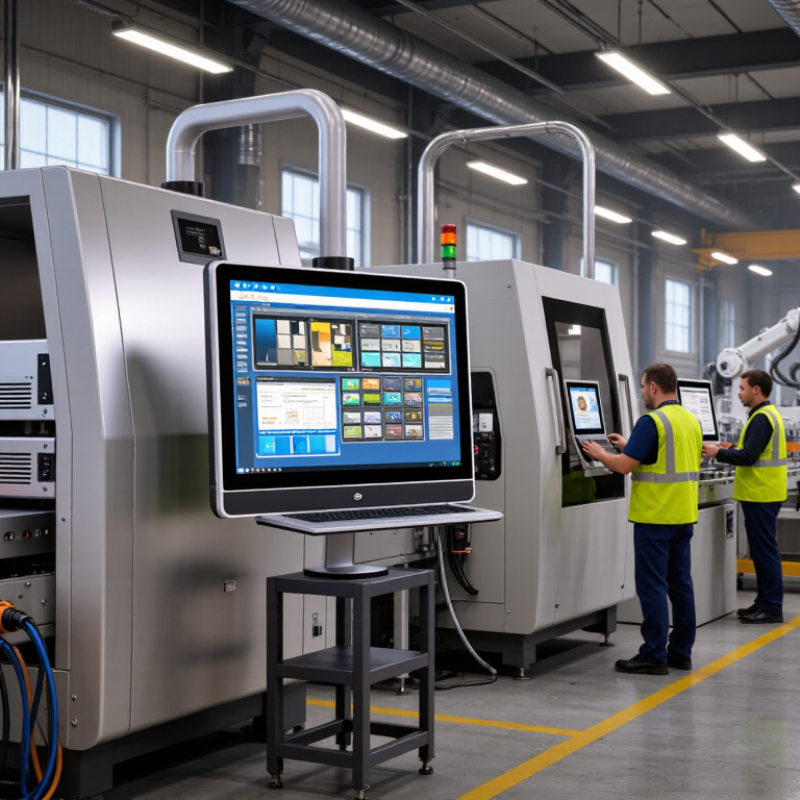
In a production line, operators use panel PCs to monitor sensors, adjust settings, and view alarms. A 15-inch screen may show motor speed, temperature readings, and production counts at once. In warehouses, these computers support inventory control, barcode scanning, and conveyor management. Transport facilities may use them for scheduling and equipment status. Outdoor applications need stronger brightness and wider temperature tolerance.

Global buyers should check mounting dimensions, processor performance, operating-system support, and available ports. Ethernet, USB, serial connections, and wireless options may all matter. The enclosure rating deserves close attention. A dusty workshop and a washdown area require different protection levels. One mistake is choosing a powerful computer without confirming its cooling method. Fanless designs reduce moving parts, but they may limit performance in demanding applications. Another overlooked issue is glove-friendly touch control. Small buttons can frustrate operators during a long shift. Reliable documentation, warranty terms, replacement availability, and regional electrical compliance also affect real ownership costs. Even experienced teams sometimes focus on screen size first. That decision can age badly.

10 Best Industrial Panel PCs for Global Buyers: Common Display Formats

Industrial panel PCs are integrated computing systems with a display, processor, touch interface, and industrial-grade enclosure. They are commonly used for factory automation, machine control, process monitoring, transportation systems, energy infrastructure, food processing, and pharmaceutical production.

Smaller 7-inch and 10.1-inch panel PCs are often selected for compact machine interfaces and equipment control. Larger 15.6-inch to 19-inch formats provide more workspace for production dashboards, SCADA screens, quality inspection, and multi-panel process visualization. Buyers should also verify operating temperature, touch technology, mounting method, connectivity, enclosure protection, and the required IP rating for the installation environment.

Which Specifications Matter When Choosing an Industrial Panel PC?

Choosing among the 10 best industrial panel PCs starts with the working environment, not the processor. Deloitte’s 2024 Smart Manufacturing Survey found that 86% of manufacturers view smart operations as a competitiveness driver. That pressure makes reliable edge computing essential.

Check the display first. A 15.6-inch screen with 1,000-nit brightness remains readable near factory windows. Projected-capacitive touch supports gloves only when properly tuned. In wet areas, specify a sealed front panel rated IP65 under IEC 60529. IP69K may matter near high-pressure washdowns. It does not replace full enclosure protection.

Processor choice depends on workloads. Simple dashboards need modest quad-core performance, while vision inspection needs stronger graphics and at least 16GB RAM. Solid-state storage reduces shock risk, but confirm endurance ratings and replacement access. Wide-temperature operation, typically -20°C to 60°C, helps in unconditioned rooms. Fanless designs reduce dust entry, though passive cooling can throttle performance.

A 2024 industrial cybersecurity survey reported that 41% of manufacturers experienced operational technology incidents linked to insecure devices. Therefore, select secure boot, signed firmware, TPM support, and controlled ports. I once focused too heavily on CPU speed; it was the wrong priority. Cable routing, mounting depth, sunlight, vibration, and service access often decide real-world success. Ask for IEC 60068 test evidence, not vague claims. Safety certifications must match the installation region.

10 Best Industrial Panel PCs for Global Buyers - Which Specifications Matter When Choosing an Industrial Panel PC?

Comparison of representative industrial panel PC configurations based on commonly available specifications for factory automation, process control, logistics, transportation, and outdoor industrial applications.

Rank Configuration Profile Display Size Resolution Touch Technology Processor Class Memory and Storage Ingress Protection Operating Temperature Typical I/O Mounting Options Typical Application Key Buying Consideration
1 15.6-inch Full HD Automation Panel PC 15.6 inches 1920 × 1080 Projected capacitive, multi-touch Low-power quad-core x86 processor 8 GB RAM; 128 GB industrial SSD Front IP65 0°C to 50°C 2 × Gigabit Ethernet, 4 × USB, 2 × RS-232/485, HDMI Panel mount, VESA mount Machine control, production monitoring, HMI stations Balanced screen size, performance, and installation cost
2 10.1-inch Compact Control Panel PC 10.1 inches 1280 × 800 Projected capacitive, glove-compatible Fanless dual-core or quad-core x86 processor 4 GB RAM; 64 GB industrial SSD Front IP65 0°C to 50°C 2 × Gigabit Ethernet, 2 × USB, 2 × RS-232/485, digital I/O Panel mount, arm mount Compact machinery, packaging lines, kiosks Useful where cabinet space and power consumption are limited
3 21.5-inch Wide-Screen Visualization Panel PC 21.5 inches 1920 × 1080 Projected capacitive, multi-touch Mid-range quad-core or six-core x86 processor 8 GB RAM; 256 GB industrial SSD Front IP65 0°C to 50°C 2 × Gigabit Ethernet, 4 × USB, 2 × RS-232/485, DisplayPort Panel mount, VESA mount SCADA dashboards, control rooms, production analytics Large viewing area improves visibility of complex interfaces
4 15-inch Resistive-Touch Panel PC 15 inches 1024 × 768 5-wire resistive touch Fanless quad-core x86 processor 4 GB RAM; 64 GB industrial SSD Front IP65 0°C to 50°C 2 × Gigabit Ethernet, 4 × USB, 4 × RS-232/485, isolated digital I/O Panel mount, wall mount Gloved operation, legacy equipment, industrial terminals Resistive touch is practical for gloves, styluses, and dusty environments
5 17-inch Extended-Temperature Panel PC 17 inches 1280 × 1024 Projected capacitive or resistive touch Industrial quad-core x86 processor 8 GB RAM; 128 GB industrial SSD Front IP65 -20°C to 60°C 2 × Gigabit Ethernet, 4 × USB, 4 × RS-232/485, CAN bus Panel mount, VESA mount Cold-storage facilities, workshops, utility systems Temperature range should match the actual cabinet and site conditions
6 12.1-inch High-Brightness Panel PC 12.1 inches 1024 × 768 Projected capacitive, anti-glare surface Low-power quad-core x86 processor 8 GB RAM; 128 GB industrial SSD Front IP65 0°C to 50°C 2 × Gigabit Ethernet, 3 × USB, 2 × RS-232/485, HDMI Panel mount, swing-arm mount Bright production halls, inspection stations, logistics areas Brightness of at least 500 cd/m² is useful in high-ambient-light locations
7 19-inch Performance Panel PC 19 inches 1280 × 1024 Projected capacitive, multi-touch High-performance six-core or eight-core x86 processor 16 GB RAM; 256 GB industrial SSD Front IP65 0°C to 50°C 2 × Gigabit Ethernet, 6 × USB, 4 × RS-232/485, dual display output Panel mount, VESA mount Machine vision interfaces, MES clients, advanced SCADA More memory and processing capacity support demanding software workloads
8 7-inch Embedded Industrial Panel PC 7 inches 1024 × 600 Projected capacitive, multi-touch Energy-efficient ARM or low-power x86 processor 4 GB RAM; 32 GB or 64 GB industrial flash storage Front IP65 0°C to 50°C 1 × Gigabit Ethernet, 2 × USB, RS-232/485, isolated digital I/O Panel mount, flush mount Equipment status displays, compact controllers, building systems Best suited to focused interfaces rather than complex desktop applications
9 Outdoor-Ready 15.6-inch Panel PC 15.6 inches 1920 × 1080 Projected capacitive, optical-bonded display Fanless quad-core industrial x86 processor 8 GB RAM; 128 GB industrial SSD Front IP65; sealed enclosure required for higher protection -20°C to 60°C 2 × Gigabit Ethernet, 4 × USB, 2 × RS-232/485, optional wireless Panel mount, VESA mount Outdoor logistics, utility monitoring, transportation facilities Check sunlight readability, condensation control, surge protection, and enclosure design
10 17-inch Fanless Stainless-Steel Panel PC 17 inches 1280 × 1024 Projected capacitive, sealed front surface Fanless quad-core industrial x86 processor 8 GB RAM; 128 GB industrial SSD Front IP66 0°C to 50°C 2 × Gigabit Ethernet, 4 × USB, 2 × RS-232/485, digital I/O Panel mount, hygienic flush mount Food processing, pharmaceutical production, clean manufacturing Sealed stainless-steel construction simplifies washdown and sanitation procedures
Specification note: Actual performance depends on the selected processor, operating system, enclosure, display brightness, storage type, and optional I/O. Buyers should verify certifications, EMC compliance, power input range, warranty terms, lifecycle availability, and environmental ratings for the intended installation.

How to Compare the 10 Best Industrial Panel PCs

How to Compare the 10 Best Industrial Panel PCs

Comparing industrial panel PCs requires more than checking processor speed. Start with the working environment. A dusty workshop, refrigerated room, or outdoor cabinet creates different demands. Check the operating temperature, humidity range, shock resistance, and IP rating. These details often matter more than a faster processor.

Examine the display under real lighting. A panel that looks clear indoors may become unreadable beside a factory window. Test brightness, viewing angles, glove touch, and screen response. Review the processor, memory, storage, and operating system support together. During equipment evaluations, I have seen expensive systems struggle because their cooling design was overlooked. That mistake can affect reliability and service costs.

Tips: Request sample units when possible. Test them with your actual software, cables, gloves, and control devices. Compare mounting depth and connector placement before installation. Confirm long-term spare-part availability, warranty terms, certifications, and technical support in your region. A low purchase price may hide difficult maintenance. I also recommend recording startup time and screen response during repeated tests. The results may feel unremarkable, but small delays can frustrate operators throughout a shift. No comparison is perfect. Your site conditions should decide the final ranking.

What Are the Key Features of Each Recommended Model?

Industrial panel PCs serve different working conditions, so screen size alone should not decide a purchase.

Model 1, a compact 7-inch unit, suits tight control cabinets and offers low power consumption.

Model 2 uses a 10-inch projected-capacitive display, allowing gloved operators to read alarms clearly.

Model 3 adds an IP65 front panel and sealed connectors for dusty production areas.

Model 4 provides a wide-temperature processor, which helps equipment start reliably in cold warehouses.

Model 5 is built around a fanless design, reducing dust entry and mechanical noise.

Model 6 includes dual Ethernet ports for separate machine and management networks.

Model 7 supports serial communication, USB expansion, and isolated input-output terminals for older machinery.

Model 8 combines a sunlight-readable screen with adjustable brightness, making it practical near loading bays.

These details matter during installation. A beautiful screen cannot repair weak cable routing.

Model 9 offers a larger 15.6-inch display for dashboards, maintenance drawings, and trend charts. Its higher memory capacity supports heavier industrial software, although performance depends on the operating system.

Model 10 focuses on rugged operation, using a reinforced metal housing, vibration resistance, and a replaceable storage module.

I would still test every unit with the actual sensors and cables. Compatibility claims can look convincing on paper.

In field projects, mounting depth is often overlooked, and one otherwise capable panel PC may simply not fit the cabinet.

How Can Global Buyers Select the Right Industrial Panel PC?

Choosing an industrial panel PC starts with the installation site, not the processor. Record ambient temperature, humidity, dust, vibration, sunlight, and available cabinet space. A factory floor may need an IP-rated front panel and a sealed, fanless enclosure. A warehouse kiosk may prioritize bright display visibility and glove-friendly touch response. Measure twice.

Screen size matters, but viewing distance and operator tasks matter more. Select projected capacitive touch for clean areas, or resistive touch for gloves and rough handling. Check brightness in direct light, viewing angles, and long-term readability. Confirm processor performance with the actual software, not a supplier’s benchmark alone. Allow memory and storage headroom for updates, logging, and cybersecurity tools. Review ports carefully: Ethernet, serial, USB, digital I/O, and display outputs should match existing equipment.

For global deployment, verify electrical input ranges, language support, documentation, and applicable safety certifications. Ask about operating temperature tests, ingress protection evidence, burn-in procedures, spare parts, and repair timelines. A pilot unit can reveal glare, mounting problems, or touch errors that datasheets hide. In one evaluation, the chosen screen looked excellent indoors but failed under afternoon sunlight. That mistake changed our acceptance checklist. Do not overlook lifecycle planning; a low purchase price can become expensive when replacements arrive too soon.